 Call 888-654-3376
 888-654-3376
 My Account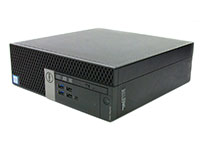
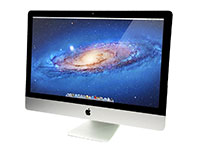
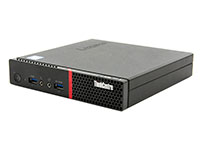
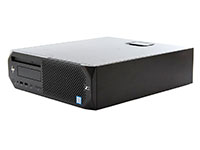
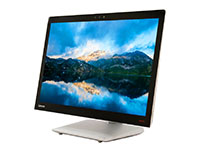
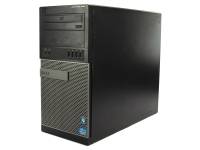
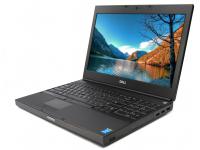
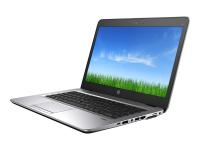







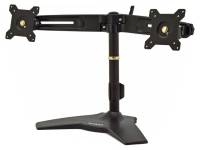
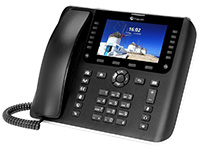
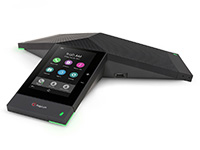

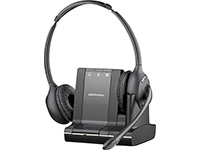


That stack of legacy devices, desktops, laptops, monitors, and printers in the storage room isn't just taking up space. It's a growing liability that wastes money and resources.
Each outdated computer represents a potential data breach, a compliance risk, and a missed opportunity to recover value from these unused office components.
For many IT and Operations managers, the task of dealing with dozens or even hundreds of old computer systems feels overwhelming, but a defined recycling process simplifies it.
The good news is that there are four proven ways to securely and profitably manage this process for your old desktop computers. Following this workflow will not only clear the clutter but can also add a surprising amount back to your department's budget.
It's time to stop ignoring the pile and start implementing a strategy for recycling electronics the right way.
Why You Can’t Afford to Ignore Old Hardware and E-Waste
Letting old hardware like unused printers and idle desktop computers accumulate exposes your organization to a landscape of financial, legal, and reputational risks. Unsecured hard drives are a primary target for data breaches, and environmental regulations increasingly prohibit the dumping of e-waste in landfills.
The potential consequences of improper disposal are severe, ranging from hefty regulatory fines to irreversible damage to your brand’s public image.
U.S. corporations generate an estimated tons of electronic waste, including old printers and other materials, each year. Much of this waste still ends up in landfills despite regulations.
The urgency is clear. Adopting a secure, certified disposal process is not just an IT task, but a critical business function.
To turn aging office computers from a growing risk into a secure, value-generating asset, use these proven recycling ways used by leading IT teams:
1- Put Data Security First with Certified Data Destruction
Before any computer device leaves your facility, you must establish an unbreakable chain of custody for its data. This process begins with a detailed asset inventory and ends with certified proof of data deletion.
Adopting this security-first mindset is non-negotiable for compliance and risk management. This step ensures that from the moment a computer device is decommissioned, its sensitive data is tracked, managed, and ultimately eliminated according to the industry's highest standards.
This creates an essential audit trail that satisfies both internal stakeholders and external auditors. To operationalize data erasure with a clean audit trail, follow these steps:
- Inventory & Tag Every Drive: Create a serialized spreadsheet that tracks every device, including laptops and other desktop computers, by model, serial number, and asset tag.
- Backup Critical Files: Ensure any necessary data is migrated and backed up to an encrypted network-attached storage (NAS) or secure cloud environment.
- Choose Your Destruction Level: Select a data sanitization method that meets your compliance needs, such as a NIST 800-88 compliant software wipe or physical on-site shredding for the most sensitive computer data.
- Request Certificates of Data Destruction (CoD): Your IT Asset Disposition (ITAD) partner must provide a serialized certificate for every single drive they sanitize or destroy, confirming the data deletion was completed for all hard drives.
For in-house data wiping from hard drives, industry-standard software includes Blancco, DBAN (for non-certified needs), and VeraCrypt for encryption. Maintaining a clear and complete audit trail with proof of data destruction is your best defense during compliance audits and a requirement for many cyber insurance policies.
2 - Recover Value Through Refurbish & Resale
Many decommissioned desktop computers and laptops are not obsolete items, but assets with recoverable value. Partnering with a certified reseller like PCLiquidations transforms old office equipment from a liability into a source of revenue, a core principle of effective electronics recycling.
|
Lenovo ThinkCentre M720q Tiny Computer i5-8400T - Windows 11 - Grade A | ||
|
|
|
|
|
|
|


This creates "circular value" that can directly offset the cost of your next technology refresh.
This budget-conscious approach turns an expense into a capital recovery project. Instead of paying for disposal, you get paid for your assets, including all working desktops, maximizing the return on your original investment.
Partner Spotlight: PCLiquidations
- Certified Lab: We specialize in testing and refurbishing equipment, from powerful desktop computers to a versatile laptop.
- Bulk Buy-Back & Secure Pickup: We offer competitive pricing for bulk lots and provide secure, palletized logistics right from your loading dock.
- Comprehensive Warranty: Our certified refurbished units are backed by a standard 90-day warranty, with select products offering extended 1-year warranty coverage, increasing their resale value and market appeal.
|
Disposal Method |
Typical Net Proceeds |
Data Security |
|
Online Auction |
Variable, often low |
Your responsibility |
|
Reselling to PCLiquidations |
Highest return on desktops |
Guaranteed & Certified |
|
Scrap Recycler |
Minimal (by weight) |
Varies by vendor. |
Presenting a clear net-proceeds delta makes partnering with a certified reseller like PCLiquidations an easy decision for any finance team.
3 - Donate to Schools & Non-Profits
For functional desktop computers that may not have significant resale value, donation is a powerful option that builds corporate social responsibility (CSR). Providing reliable technology to schools, community centers, and non-profits creates positive local impact and generates valuable goodwill for your brand.
It’s a compelling story to share with customers and employees. Consider directing donations to reputable programs such as:
- Goodwill E-cycle and other national programs
- Local STEM labs or coding bootcamps for students
- International NGOs that support technology access in developing nations
You may be eligible for a fair-market-value tax deduction for donated equipment. Always consult with your CPA to ensure proper documentation.
Remember, you must still perform a certified data wipe before donation. To be truly useful for educational purposes, donated refurbished computers and monitors should generally have at least 4GB of RAM and a solid-state drive (SSD).
4 - Responsible Electronics Recycling for What Can’t Be Reused
For devices that are broken, obsolete, or otherwise at the end of their functional life, responsible device recycling is the only acceptable path. This includes dead batteries, old CRT monitors, LCD monitors, dead batteries, printers, copiers, and damaged components from old desktop computers, and various materials that major retailers offer to recycle.
In 2016, only about 20% of all e-waste globally was recycled, highlighting the need for certified partners to avoid environmental damage from improper recycling. Choose recyclers that hold these certifications:
- R2 (Responsible Recycling): Ensures accountability for environmental, health, and data security standards in electronics recycling.
- E-Stewards: A rigorous standard focused on preventing the export of hazardous e-waste to developing countries.
- ISO 14001: Certifies that the recycler has a formal environmental management system in place for all further processing.
Before engagement, complete these checks:
- Request downstream audit reports: Know exactly where your materials are going for further processing.
- Confirm no export to non-OECD countries: Uphold the principles of the Basel Convention.
- Verify their EPA ID number and proof of insurance: Basic due diligence is a must for their device recycling facility.
This final step of the computer recycling process assures that your brand will never be associated with "toxic-dump" headlines.
|
Pro Tip: Always verify your recycler holds a current R2 or e-Stewards certification. This simple check is your best insurance against your old electronics causing an environmental disaster. |
Choosing the Right ITAD Vendor for Your Recycling Process
The IT Asset Disposition (ITAD) market is filled with options, but not all vendors are created equal. A true partner offers a comprehensive solution that covers data security, value recovery, and certified electronics recycling under one roof for desktop computers, printers, and more.
Your selection process should prioritize vendors who hold the highest industry certifications. This is the simplest way to verify their commitment to security and environmental compliance. Our guide to compliance requirements for IT asset disposal explains how to assess providers and mitigate data risks.
Prioritize ITAD partners that meet these standards:
- R2v3 & NAID AAA Certifications: Verifies top-tier environmental and data security practices.
- Serialized Reporting: Provides a complete audit trail for compliance, peace of mind, and visibility into further processing.
- On-Site Secure Pickup: Ensures a secure chain-of-custody from the very start.
- Transparent Fee Structure: Prevents unexpected charges and clarifies your net return.
By aligning these evaluation criteria with your business priorities, cost savings, ESG goals, and data security. You can confidently select a partner that meets all your needs.
Logistics for Bulk Pick-Up & Secure Transport
The physical transit of your assets is one of the most vulnerable points in the computer disposal services. A professional ITAD partner mitigates this risk with established, secure logistics and clear protocols that protect your office equipment from desktops to printers and old copiers.
That protection begins the moment assets leave your building and continues through arrival at a secure recycling facility. To secure bulk pickups and transit, follow these guidelines:
- Assets should be palletized and shrink-wrapped in a large box, depending on the type (laptops, desktops, servers, printers, and monitors).
- Secure transport should include locked, GPS-tracked trucks and tamper-evident seals on pallets.
- Advanced partners use eco-route planning to reduce the carbon footprint of transportation.
Coordinate the pickup of old equipment to coincide with your overnight refresh roll-outs. This minimizes business disruption and operational downtime.
Documenting the Process for ESG & CSR Reporting
In today's business climate, investors, customers, and employees demand proof of your commitment to sustainability, especially when disposing of items like printers. Simply saying you recycle is not enough; you need to provide data.
A reputable ITAD partner will supply detailed reports that quantify the positive impact of your electronics recycling program, making it easy to incorporate into official company publications.
Your "Certificate Packet" from your vendor should include Certificates of Data Destruction, Certificates of Recycling, and a Carbon Impact Report. This documentation, along with metrics on total e-waste diverted and CO₂ emissions saved, adds verifiable substance to your annual sustainability report.
Building a Sustainable IT Lifecycle Strategy

The ultimate goal is to move from a reactive disposal process to a proactive IT computer lifecycle strategy. This forward-thinking approach prevents the "storage room pile-up" of old computers, copiers, and desktops from ever happening again.
By planning for disposal at the time of purchase, you can build a sustainable, circular system that maximizes value. To build a circular, proactive IT lifecycle, focus on these pillars:
- Reduce: Start by purchasing energy-efficient, modular hardware like monitors that are easier to upgrade and repair.
- Reuse: Implement a mid-life upgrade plan for assets, such as adding more RAM or swapping traditional hard drives (HDDs) for SSDs to extend their usability for all desktop computers.
- Recycle: Pre-plan your disposal of select items and electronics with trusted retainers like PCLiquidations, who properly handle everything from data to batteries through a scheduled trade-in program for your computers and printers.
Align your technology refresh schedule with peak resale value curves, typically between 24 and 36 months for used and refurbished laptops and desktops.
|
Key Insight: Move from reactive disposal to a proactive IT lifecycle strategy. Planning for end-of-life at the time of purchase transforms a recurring cost into a predictable, value-generating process. |
Turn E‑Waste Into ROI
Disposing of old office equipment, desktops, and printers doesn’t have to be a risky or costly chore. By using any of the 4 ways, secure data erasure, reselling, donating, and recycling, you can transform it into a secure, responsible, and profitable process.
Turn your outdated hardware into a new opportunity for your budget and your brand. Ready to get started? Find out why PCLiquidations is the best place to sell computers or your used desktops and request a bulk buy-back quote today.


