Call 888-654-3376
 888-654-3376
 My Account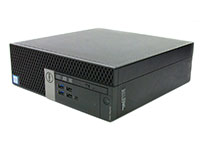

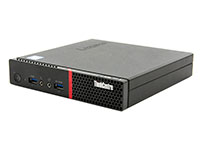
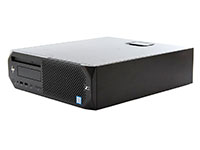
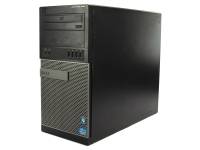
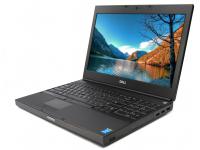
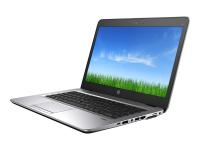
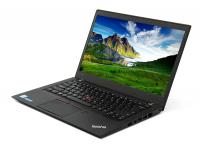














Imagine a scenario where a company upgrades its entire data center. The old electronic devices containing stored data are piled into a storage closet before being hauled away by a scrap collector.
Six months later, a journalist buys one of those hard drives and uncovers thousands of valuable pieces of information, personal details, and unencrypted customer social security numbers.
This recurring nightmare for businesses leads to catastrophic data breaches, severe reputational damage, and financial ruin due to poor data security practices that leave data vulnerable to exposure.
In a study conducted by the National Association for Information Destruction (NAID), it was found that 40 percent of devices resold in publicly available resale channels contained personally identifiable information (PII).
Employee error, negligence, and improper handling, loss, or disposal of assets are responsible for a substantial share of data breaches each year, involving millions of exposed records and significantly increasing the risk of identity theft.
Beyond implementing systems that safeguard data, dumping computers contributes to the growing electronic waste crisis. When data isn't properly securely destroyed, it poses risks even during recycling.
Proper electronic recycling recovers valuable materials like gold and copper, while landfilling e-waste releases toxic lead and mercury into the soil.
Regulatory Landscape and What “Data Sanitization” and Data Protection Really Mean
Many organizations mistakenly believe that deleting data files or formatting a hard drive permanently removes data, but basic deleted data only removes the pointer to the file.
To ensure data protection, companies must adhere to media sanitization standards and regulatory compliance, like NIST SP 800-88.
This framework defines comprehensive processes that render data recovery infeasible.
|
Regulation |
Scope of Data |
Key Disposal Requirement |
|
GDPR |
Personal Data (EU residents) |
Irreversible data deletion |
|
HIPAA |
Protected health data |
Data sanitization log |
|
FTC Disposal Rule |
Consumer Reports data |
Reasonable data disposal measures |
Adhering to these data protection standards is not just about avoiding fines; it is a critical component of corporate audits, confidential data handling, and risk management strategies.
Proof of secure data destruction is often the first thing auditors request during a compliance review to ensure confidential information and financial records are securely destroyed.
|
Warning/Important: Never rely on industry standard formatting or the "Recycle Bin" to protect sensitive data. These methods only remove file pointers, leaving the actual financial information and login credentials intact and easily recoverable by basic software tools. |
Approved Data Destruction Methods and Hard Drive Destruction
When it comes to secure data disposal, organizations have several proven methods at their disposal, each offering unique benefits depending on security requirements and asset recovery goals. These approaches include:
Physical Destruction of Hard Drives and Electronic Waste
Physical destruction involves shredding, crushing, or degaussing to render storage media and hard drives physically unusable. This hard drive destruction method is often mandatory for defective drives that cannot be wiped via software.
While effective for data destruction, it generates scrap e-waste rather than reusable assets, though it ensures the complete destruction of magnetic media.
Data Wiping and Software-Based Data Erasure
Data wiping via software erasure overwrites the storage devices with non-sensitive data to destroy the original data while keeping the drive functional.
This method ensures you completely erase data stored and allows you to prepare refurbished office desktop computers for resale without compromising data security.
|
Lenovo ThinkCentre M720q Tiny Computer i5-8400T - Windows 11 - Grade A | ||
|
|
|
|
|
|
|


This approach is the preferred data destruction approach for companies looking to recover value from their retired IT equipment using specialized software.
Cryptographic Erasure for Data Security
For modern storage devices with built-in encryption, cryptographic erasure is a fast and efficient data destruction option. By destroying the Encryption Key, the data on the drive becomes indecipherable gibberish.
This data destruction process is nearly instantaneous and energy-efficient, ensuring complete data destruction.
|
Method |
Ideal Use Case |
Compliance Fit |
Environmental Impact |
|
Physical shred |
Defective hard drives |
Highest Security |
Low (material recycling only) |
|
Software wipe |
Working drives |
High Security |
Best (allows full device reuse) |
|
Crypto erase |
Encrypted SSDs |
High (when properly logged) |
Best for Data |
|
Pro Tip: Choose software-based data wiping (NIST 800-88 Purge) for modern SSDs and laptops you intend to resell. This method destroys data irretrievably while preserving the hardware value, offering both data security and financial return. |
Step-by-Step Preparation Checklist for Asset Disposal and Electronic Recycling
A data leak often occurs not because of a failure in data destruction technology, but because of a failure in planning asset disposal. Before a single laptop leaves your facility, a structured preparation process must be in place.
This ensures that every asset is accounted for during electronic recycling efforts and that sensitive files are removed. Follow these essential steps to protect your organization's valuable information and ensure secure asset disposal when recycling your business computers:
- Inventory all old computers, laptops, and loose hard drives using serialized barcodes to create a master data list.
- Back up all mission-critical data to a secure network storage location before data destruction.
- Select a certified ITAD partner and agree on the specific data destruction approach (data wiping vs. secure shredding).
- Schedule a secure, sealed pickup for your outdated devices and document the chain-of-custody hand-off.
- Collect and file certificates of data destruction and electronic recycling.
|
Pro Tip: Treat your "Certificate of Data Destruction" as a legal data asset. Store this digital information or physical records for at least seven years to satisfy audit look-back periods for regulations like HIPAA and tax compliance. |
Choosing a Certified Asset Disposition (ITAD) Partner
Certifications are the only way to verify that an IT Asset Disposition (ITAD) recycling partner adheres to strict data security and environmental standards. Liability for a data breach often remains with the original owner unless they can prove they exercised due diligence in data destruction.
PCLiquidations is committed to reducing electronic waste, and is the computer & electronics recycling because we strictly follow these data chain-of-custody protocols for electronic waste, such as:
- NAID AAA: Ensures robust physical security and employee screening through unannounced data audits.
- e-Stewards: The highest global standard for e-waste and electronic waste, prohibiting the use of prison labor and illegal export.
|
Key Insight: Under industry standards and regulations like GDPR, you remain responsible for your data until it is securely destroyed. Only NAID AAA-certified partners provide the necessary legal chain-of-custody protection for data destruction. |
Benefits of Secure Data Destruction and Information Security for Your Organization

Implementing a formal secure data destruction policy does more than just avoid data trouble; it streamlines operations and protects brand equity. By mitigating data security risk, organizations can focus on growth rather than data damage control.
|
Risk / Benefit |
Operational Impact |
Metric |
|
Regulatory data fines avoided |
Financial |
Up to industry-standard regulatory penalties |
|
Customer trust retained |
The company's reputation |
NPS / CSAT stability |
|
Hardware value recovered |
Sustainability |
Percentage of devices refurbished |
Furthermore, secure data destruction contributes to Corporate Social Responsibility (CSR) goals by ensuring zero electronic waste landfill contribution. This maximizes the lifecycle of technology assets, protects intellectual property, and prevents financial losses.
Recycle Your Retired Computers and Old Data Securely
Don't let old electronic disposal become a liability. By choosing the right partner like PCLiquidations, which is dedicated to data security and sustainability, you protect your company's sensitive information while recovering value from your aging fleet.
We can help you upgrade to top refurbished computer brands that fit your budget.
Protect Your Business Data
Ensuring sensitive data on office computers is securely destroyed before computer & electronics recycling is a multi-step data destruction process that demands attention to detail. From understanding regulations like GDPR to selecting the right data sanitization method, the goal is the complete elimination of stored data from old electronic devices.
Always verify the work with data documentation and partner with a certified provider who values data security as much as you do.
- Inventory assets, backup data, and certify complete data destruction.
- Demand NAID AAA credentials from your data destruction partner.
- Retain all data certificates for future audits.
To ensure your organization is fully protected and achieves peace of mind, download our printable electronic waste disposal checklist or speak with a PCLiquidations specialist today.