Call 888-654-3376
 888-654-3376
 My Account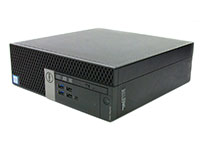
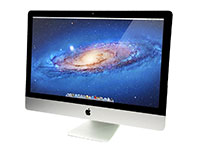
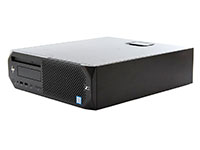
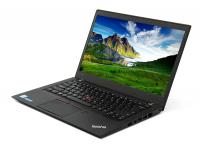
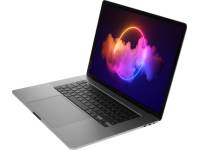
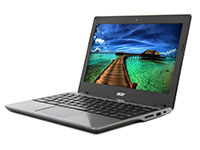

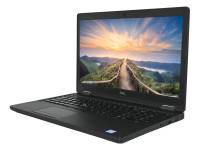






For most small businesses and companies, a refurbished computer is a wise investment, provided the seller is reputable, the specs match the work, and the warranty and return policy are defined before the purchase is made. That is the short answer.
This guide represents the extended version, aiming to demystify these electronic products and computers before your next purchase. The term refurbished is not a synonym for used gadgets with an unknown owner.
Such a machine has been tested, graded, restored, and cleaned by capable refurbishers; then sold with coverage. At PCLiquidations, a quality product moves through a standard multi-step process: condition evaluation, localized customization, secondary validation rounds, physical detailing, and shipping.
Certified systems are assessed twice before they reach any customer desk. So when someone asks whether these refurbished devices are good, the more helpful question is: do they offer enough speed for the routines a company runs, without overpaying or inheriting someone else's hardware problem?
This guide examines that idea through four distinct lenses every SMB buyer should weigh: price, performance, risk, and buying criteria. By the end, you will have a framework for navigating options with confidence, peace of mind, and a clear understanding.
The Main Benefits of a Refurbished Computer and Refurbished Products
The business case starts with one compelling number yielding savings: 40 to 60 percent below retail pricing. Used commercial-grade computers from vendors like PCLiquidations land at a fraction of brand-new device costs, and for most operations, the performance difference remains minimal in day-to-day work.
Email, web browsing, cloud applications, video meetings, CRM tools, and intricate accounting software do not demand the latest processors. They require steady functionality, which is what enterprise technology was built to deliver throughout its entire life.
These brand new equivalents were designed for demanding professional environments. They enter the secondary marketplace because large companies rotate fleets on structured schedules or prefer to lease computers, not because internal parts failed.
Corporate lines from Dell, HP, and Lenovo carry an intrinsic advantage in this space: prolonged service cycles, easier repair paths, and accessible upgrades for components. When requirements grow, adding RAM or swapping in a larger solid-state hard drive is simpler on a refurbished computer than on a brand-new device bought at local stores.
That makes them some of the finest desktop computers for an office setting; practical now and adaptable later. There is also an ecological dimension worth noting to protect the planet during every sale.
Extending asset life reduces e-waste, lowers demand for fresh-material production, and supports circular-economy purchasing. PCLiquidations reinforces this with full lifecycle care, including ITAD services and electronics recycling, so old gear retirement is managed around new acquisitions.
Here is how the two choices compare across factors that matter most to buyers. This difference highlights critical divergences in upfront budget and overall reliability.
|
Factor |
New Computers |
Refurbished Business Computer |
|
Price |
Full retail |
40 to 60 percent below retail |
|
Depreciation |
Immediate and steep |
Already absorbed |
|
Workload capability |
Current-gen specs |
Business-class specs for standard tasks |
|
Upgrade flexibility |
Limited to consumer models |
Often more accessible on corporate hardware |
|
Sustainability |
Higher footprint |
Extends hardware utility, reduces e-waste |
|
Best-fit buyer |
Specialized roles |
Most SMB administrative requirements |
The proposal is persuasive, but complete only when paired with an honest look at various tradeoffs. Keeping expectations realistic guarantees long-term satisfaction.
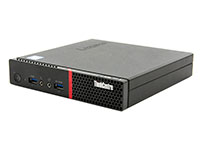
Refurbished computers offer small businesses enterprise-grade performance at a fraction of the cost. Compare these top-rated options to find the right fit for your workspace.
|
#1 The Compact Powerhouse |
#2 The Portable Performer |
|
|
|
|
Lenovo ThinkCentre M910q Tiny Desktop i5-6500T - Windows 10 - Grade A |
Dell Latitude 3510 15.6″ Laptop i5-10210U Windows 11 - Grade A |
|
★ ★ ★ ★ ★ 18,000+ 5-Star Reviews |
★ ★ ★ ★ ★ 18,000+ 5-Star Reviews |
|
|


How to Choose the Right Refurbished Computer for Your Business Needs

Selecting the ideal computers for your expanding team begins outside reading a spec sheet. Match the intended device to corresponding jobs first; then filter by price, core capabilities, and physical format to find the best refurbished computer.
Basic administrative duties, multitasking roles, creative design gigs, remote hybrid setups, point-of-sale systems, and front-desk positioning all carry separate baseline prerequisites. A system that feels overpowered for simple reception work will seem sluggish and lack performance for an analyst running financial modeling data.
Follow this decision flow before confirming any purchase. Doing so aligns the correct piece of technology to precise users and business needs, alongside coverage loops, warranty lengths, and timelines, without wasting time.
- Define primary applications for each localized role, user station, or model workstation
- Set a budget or fiscal boundary per integrated unit
- Choose bulkier desktop computers or sleek laptops based on mobility desires
- Confirm core requirements for that particular task
- Verify merchant promises such as coverage loops and condition guidelines on refurbished devices
The three subdivisions below outline zones where common buying mistakes occur: hardware profiling, manufacturer selection, and policy review. Start with internal power; an output mismatch represents an avoidable problem.
|
Pro Tip: Matching the machine to the workload first, then verifying vendor warranty and return policies, prevents the most common buying mistakes. |
Check the Processors, RAM, and Storage
Silicon component specifications do not have to be intimidating. For corporate purchasers, the objective involves pairing capacity to the work at hand, not chasing the fastest tech available in new computers.
Here is a breakdown by requirement tier. Providing these components ensures fluid speed and performance for most daily users.
- Basic administrative tasks (email, document creation, web browsing, cloud access): Intel Core i5 (7th generation or newer), 8GB RAM, 256GB storage capacity
- Productivity zones (CRM platforms, accounting software, numerous browser tabs, video calls): Intel Core i5 or i7 (8th generation or newer), 16GB RAM, 256GB to 512GB data limits
- Specialized assignments (light graphic design, spreadsheet analysis, CAD-adjacent work): Intel Core i7 or equivalent, 16GB to 32GB RAM, 512GB high-speed memory
Various components and parts play an essential role during operations. Processing muscle governs responsiveness, performance, security protocol compatibility, and how long the refurbished computer receives contemporary updates.
RAM determines how well the unit handles overlapping software features and packages, such as monitoring inboxes, surfing the internet, and hosting video meetings without slowdowns. Drive style affects boot sequences alongside application loading; advanced memory structures and solid-state drives supply improvements over obsolete disks and must take priority whenever credit permits.
For numerous offices, commercial rigs equipped with Intel Core i5 or i7 processors, sufficient memory, and dense solid-state banks provide excellent savings vs. brand-new units. Those metrics matter most when housed inside sturdy frames, which brings us to brand curation.
Look for Business-Grade Desktop Computers and Refurbished Laptops
Not all affordable tech or any given model originates from similar foundations. Retail-focused equipment isn't engineered for professional stress, and that shortfall becomes apparent inside the secondary marketplace.
Corporate lineages from recognized manufacturers are crafted for build strength, extended lifespans, broader alignment with security tools, and superior parts availability and quality when maintenance happens. The nameplates worth chasing include options from trusted global entities.
- Dell: OptiPlex towers alongside Latitude computers
- HP: ProDesk and EliteDesk stations paired with EliteBook laptops
- Lenovo: ThinkCentre units matched with ThinkPad laptops
Here is how those align with varied workspace layouts. Choosing the exact same model for an entire department unlocks maximum potential and performance.
- Front-office desk: Dell OptiPlex or HP EliteDesk featuring advanced drives, a keyboard, and ample memory
- Remote hybrid setup: Dell Latitude or Lenovo ThinkPad utilizing verified battery care protocols
- Space-saving area: Compact mini-PC meant for reception hubs or communal usage
- Expandable workstation: Full-tower case designs meant for a team anticipating future hardware modifications
PCLiquidations stocks a large variety across these enterprise builders, revitalized by proficient staff and available in myriad form factors. Even finding the exact same model with an optimal hardware layout isn't risk-free if it lacks reliable post-purchase backing to support your purchase.
Review the Warranty, Return Policy, and Support
Any seller can advertise a list of high-end features and quality on a refurbished computer. What separates a capable supplier from a risky gamble is the accountability padding the primary transaction, and that reveals itself in comprehensive guarantees, clear refund rules, and evaluation transparency for all refurbished products.
Before procuring or choosing to shop for any refurbished tech, verify each of the following considerations. Skipping this crucial step might cost your company extra money down the line.
- Hardware safeguard length alongside details outlining which failures fall under coverage
- Restitution timelines and whether sending a piece of equipment back triggers restocking charges (PCLiquidations demands none)
- Condition policy clarity: Does the text mention cosmetic issues like scratches alongside functional states for the refurbished computer?
- Whether it ships to you with an authenticated operating system
PCLiquidations protects all items using a twelve-month warranty, generous return policy rules covering key groups, and valid setups mirroring premium open box products. For mobile machines, refurbished laptops, or secondary Apple devices, documented energy retention figures inject another layer of trust that buyers should seek, and upright sellers provide.
The cheapest deal rarely equals the safest choice compared to a lease. Encompassing terms alongside seller conscientiousness trump a low price tag on all refurbished devices.
With internal processors verified, manufacturer pedigree confirmed, and seller expectations matching reality, one final choice remains: picking between stationary desktops and mobile profiles. For numerous growing enterprises and companies, the optimal answer involves a variety of both.
Desktop Computers vs. Refurbished Laptops

External enclosure design is the last attribute purchasers think about; yet for organizations building a dynamic roster, it shapes procurement, tech support, and localized workflows. Evaluating physical sizes, including accessories like a mouse or responsive keyboard, and general desk footprints helps pinpoint the ideal fit for your refurbished computer.
Here is how the two formats compare against each other. Review this chart prior to investing your available credit or money in new products or used variants.
|
Category |
Refurbished desktops |
Refurbished laptops |
|
Cost Factor |
Lower per-unit expense |
Higher pricing for equivalent capabilities |
|
Portability |
Fixed desk placement |
Remote, field-ready, and versatile |
|
Upgradeability |
RAM, drive arrays, GPU changes |
Constrained to basic memory adjustments on most builds |
|
Endurance |
Longer stationary lifespan |
Constructed for transit; varies by shell material |
|
Workspace Fit |
Dedicated office location |
Adaptable covering home, office, and client sites |
|
Best SMB Scenario |
Administrative, finance, or shared tools |
Sales, executive leadership, or remote personnel |
Desktops make sense for centralized offices, communal structures, finance branches, and seating where expansion potential paired with reduced cost takes precedence. Distributing a dedicated workspace encourages focused output and performance, and a sweeping screen that accompanies this layout provides a massive visual benefit.
Refurbished laptops fit traveling members, client-facing personnel, promotional squads, and field specialists whose location and screen space shift every morning. The major tradeoff involves a steeper price for parallel capabilities alongside restricted modification lanes, but operational flexibility overrides both drawbacks for contemporary road warriors.
For traditional groups, a smart strategy leans on a blended approach. Desktop computers appease office-bound developers, while refurbished laptops handle leadership or external traveling agents who need reliable mobile machines.
Acquiring multiple new products or an entire purchase from a single manufacturer or vendor streamlines acquisitions, harmonizes maintenance channels, and unifies technical assistance into one continuous partnership. PCLiquidations maintains deep stock spanning both styles, rendering them an outstanding hub for outfitting modern firms with computers.
Now that your evaluation matrix is complete, the concluding phase centers around locating a destination where you can shop with a good understanding of what you need.
|
Key Insight: Refurbished business-class computers offer 40 60% savings over new, with performance that meets standard office workloads. Enterprise hardware cycles, not failures, create this opportunity. |
Find the Right Refurbished Products with PCLiquidations
PCLiquidations has navigated the secondary IT sphere since 1991, gathering decades of sourcing, refurbishment, diagnosing, and retailing commercial-grade stock to firms requiring reliability without massive retail markups. That track record fuels their stellar reception across thousands of customer reviews featured on respected platforms.
Each item undergoes intensive refurbishment methodologies: cosmetic grading, quality checks, core adjustments, secondary validation efforts, deep internal cleaning, and secure packaging. These strict practices ensure each refurbished computer hums with peak performance during an extended test phase to ensure a long life before being dispatched from the warehouse.
Their expansive catalog holds an impressive variety of diverse profiles from premier makers, covering the entire spectrum of SMB hurdles, from modest clerical desktops right up to complex zones meant for an intense graphical designer. The indicators of dependability summarized here remain evident in every refurbished device.
PCLiquidations delivers generous twelve-month timelines on standard products, enforces zero return penalties on their return policy, and bundles ready setups featuring activated software. For businesses plotting beyond impending operations, they also offer secure data destruction alongside planet-friendly recycling programs, serving as a collaborative partner spanning initial deployment or a hardware lease through equipment disposal.
Getting your operations updated is straightforward. Follow these suggestions to shop for your next set of computers and accessories without hassle.
- Examine available inventory organized by specific demands and budget limits
- Compare dependable commercial desktop computers across recognized brands
- Contact their devoted support team regarding bulk acquisitions of refurbished laptops or network guidance
Refurbished laptops, desktop computers, or Apple devices represent a smart approach for expanding ventures, assuming they leverage commercial-grade parts, factual descriptions, transparent refund mechanisms, and a supplier with enough pedigree to honor their commitments. That constitutes the reality regarding whether refurbished tech makes sense for your business: yes, as long as you apply evaluation metrics to the purchase.