 Call 888-654-3376
 888-654-3376
 My Account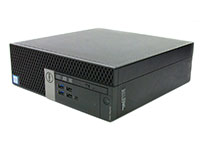
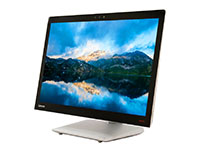
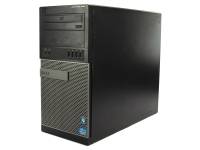
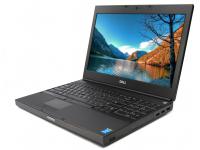
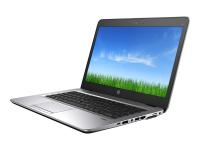
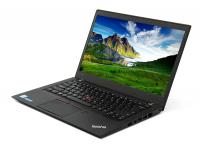
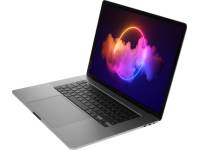
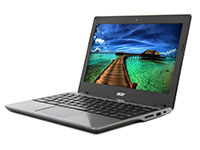

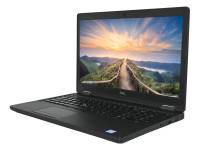





For small business owners and IT managers, finding the right business computer for their business operations is a critical decision. Selecting the best business desktop computers that balance applications and everyday tasks requires careful consideration of both performance and cost.
With the rising costs of purchasing small business computers, equipping a team with the latest technology can drain capital that could be better spent on growth. This is where refurbished desktop computers and business laptops shine as a strategic investment.
The global refurbished computers & laptop market is projected to grow from $17.05 billion in 2025 to $47.62 billion by 2035. This growth signals a major shift toward sustainable, cost-effective business PCs.
Unlike costly new AI PCs featuring Intel Core Ultra or Intel Core Ultra 7 chips, a refurbished small business desktop provides high performance for resource-intensive tasks.
These computers handle data management and video editing effectively without the premium price tag. These business devices are the backbone of a modern workplace.
Beyond the bottom line, it is a sustainable choice that extends the lifecycle of premium electronics. By the fall of 1985, 40 percent of all small businesses owned computers. Today, maintaining that digital infrastructure with secure business computers is key to survival.
In this guide, we'll walk you through our best refurbished desktop computers and laptops, each selected for their reliability, performance, and value:
Quick Comparison Specifications for Small Business Desktop Computers
Use this table to identify the best business computers and workstations that fit your computer needs. We have highlighted specifications for ideal business PCs for common office roles and resource-intensive applications:
|
Usage Level |
Processor Gen |
Ram Needed |
Form Factor |
|
Basic tasks |
7th- 8th Generation |
8 GB |
Mini |
|
Standard office |
9th-10th Generation |
8GB - 16 GB |
SFF |
|
Power Use |
10th+ Generation |
32 GB |
SFF |
|
Key Insight: The "sweet spot" for most small business administration is a 10th Gen Intel Core CPU paired with 16GB RAM and good storage capacity. This combination offers 3-5 years of reliability and seamless multitasking without the premium price of new computer hardware or built-in AI. |
How We Selected The Best Computers for Small Businesses
Here are the key criteria we used to evaluate and select the best desktop computers and laptops:
- Modern Processing Power: We focused on 6th to 11th-gen Intel Core or AMD Ryzen CPUs for business PCs. While they aren't the newest Core Ultra processors, they offer robust performance with proven operating systems and quick processing for advanced workflows.
|
|
|
|
|


- Memory Standards: A baseline of 16GB random access memory is prioritized. If you need more memory or more RAM for demanding applications, these units are scalable.
- Speed: A Solid-State Drive (SSD) or NVMe is standard to eliminate bottlenecks, providing fast speeds superior to a traditional All-In-One with a spinner drive.
- Reliability: Only business-class chassis like the HP EliteDesk and Dell OptiPlex with historically low failure rates made the list, offering better longevity than a consumer Dell Inspiron.
- Value: We targeted a cost-per-performance ratio under $400 for desktop units and $500 for laptops, ensuring overall performance meets modern business needs while maintaining value.
- Flexibility: Preference was given to units with room for component upgrades, which offer more reliable performance potential than a sealed All-In-One.
|
Pro Tip: Never compromise on storage speed. Ensuring your refurbished units have SSDs or NVMe drives rather than mechanical HDDs is the single most effective way to eliminate boot-time bottlenecks and improve daily productivity. |
Top 12 Refurbished Computers for Small Businesses
1- Dell OptiPlex 7090 SFF Computer i5-10500 - Windows 11 - Grade A

Features
- Intel Core i5-10500 3.10GHz
- Intel UHD Graphics 630
- Blazing fast NVMe SSD
Use Case: Ideal for modern office administration requiring speed and efficiency. This Dell OptiPlex 7090 desktop is easier to service than an All-In-One.
Pros
- Powerful 10th Gen Intel processors handle multitasking with ease.
- Small Form Factor (SFF) design saves valuable desk space like an All-In-One, but allows maintenance.
- Features modern USB-C and USB 3.2 ports for fast data transfer.
Cons
- Limited expansion slots compared to full-sized tower units.
2 - HP EliteDesk 800 G4 SFF Computer i5-8500 - Windows 11 - Grade A

Features
- Intel Core i5-8500 3.0GHz
- Intel UHD Graphics 630
- Wi-Fi 802.11ac (2x2)
Use Case: Perfect for power users needing good performance on a budget. This HP EliteDesk 800 G4 outperforms many All-In-One PCs.
Pros
- Excellent build quality with tool-less access for upgrades.
- Supports multiple displays for enhanced productivity.
- Quiet operation makes it suitable for open office environments.
Cons
- 8th Gen processor units are becoming older but remain capable.
3 - HP ProDesk 600 G6 Micro Tower Computer i5-10500 - Windows 11 Pro - Grade A

Features
- Powerful Intel Core i5-10500 processor (3.1GHz)
- Generous 16GB DDR4 RAM, expandable up to 128GB
- Fast 512GB SSD for quick boot and load times
Use Case: Best for departments that may need future hardware expansion. A HP ProDesk 600 tower desktop offers more storage options than an All-In-One.
Pros
- The Micro Tower chassis offers room for additional drives and cards.
- Exceptional performance with the 10th Generation Intel Core processor.
- Good airflow design keeps components cool under load.
Cons
- Takes up more physical space than SFF or Mini PCs.
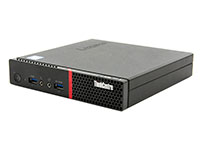
4 - Lenovo ThinkCentre M910x Tiny Computer i7-7700 - Windows 10 - Grade A

Features
- Powerful Intel Core i7-7700 processor (3.6 GHz)
- 8GB DDR4 memory, expandable up to 32GB
- Fast 256GB SSD
Use Case: A great choice for constrained spaces like kiosks or reception desks. This Lenovo ThinkCentre M910x Tiny is smaller than any All-In-One.
Pros
- Extremely compact design fits almost anywhere.
- Tested to military specifications for durability.
- Supports discrete graphics options, unlike most tiny PCs or some All-In-One models.
Cons
- The External power brick can be bulky to hide.
5 - HP EliteDesk 800 G5 Mini Desktop Computer i5-9500T - Windows 11 - Grade A

Features
- Intel Core i5-9500T
- Comes in a 256GB M.2 SSD
- 8GB DDR4 RAM with expandability up to 64GB
Use Case: Excellent for mounting behind a monitor for a clean setup. This HP EliteDesk 800 G5 Mini desktop creates an All-In-One experience with better serviceability.
Pros
- VESA mount compatible for invisible deployment.
- Whisper-quiet operation reduces office noise pollution.
- Surprisingly powerful 9th Generation CPU options available.
Cons
- Limited port selection due to miniature size.
6 - Dell OptiPlex 3050 Micro Computer i3-7100T - Windows 10 - Grade A

Features
- Intel i3-7100T processor running at 3.4GHz
- 8GB DDR4 memory with expansion capability up to 32GB
- Fast 256GB SSD
Use Case: The Dell OptiPlex 3050 micro desktop is the ultimate budget-friendly desktop for basic tasks. More affordable than an All-In-One.
Pros
- Highly affordable for bulk deployments.
- Exceptional performance for web browsing and Office apps.
- Easy to access internals for simple maintenance, unlike an All-In-One.
Cons
- Older generation processors may struggle with heavy apps.
7 - Dell Precision 3620 Tower Computer i7-6700 - Windows 10 - Grade C

Features
- Intel Core i7-6700 3.4 Ghz
- Intel HD Graphics 530/P530
- Gigabit Ethernet
Use Case: Entry-level desktop for design students and junior editors. This Dell Precision 3620 Tower handles graphic design and video editing better than any standard All-In-One.
Pros
- ISV certified for professional applications like AutoCAD.
- Supports ECC memory for error-free calculations and Xeon options.
- The roomy interior allows for significant upgrades like a graphics card.
Cons
- Lack of USB-C ports on some configurations.
8 - Dell Latitude 7310 13.3" Touchscreen Laptop i7-10610U - Windows 11 - Grade A

Features
- Intel Core i7-10610U 1.8GHz
- 13.3" Anti-glare (1920 x 1080) FHD
- Intel UHD Graphics
Use Case: Premium Dell Latitude 7310 for executives who value style and portability. One of the best laptops for travel.
Pros
- Stunning screen with narrow bezels.
- High-end materials provide a durable, lightweight chassis.
- Intelligent privacy features and proximity sensors.
Cons
- Premium features command a higher price point.
9 - Dell Latitude 5511 15.6" Laptop i5-10400H - Windows 11 Pro - Grade A

Features
- 15.6" 1920 x 1080 (FHD)
- Intel i5-10400H 2.60GHz
- Intel UHD Graphics
Use Case: A workhorse laptop for managers needing screen real estate. This Dell Precision laptop offers fast processing comparable to a desktop.
Pros
- High-performance H-series processors tackle heavy workloads.
- A full number pad on the keyboard boosts data entry productivity.
- Extensive port selection reduces the need for dongles.
Cons
- Heavier and thicker than standard ultrabooks.
10 - HP EliteBook 840 G6 14" Laptop i5-8265U - Windows 11 - Grade A

Features
- Intel Core i5-8265U Processor, 1.6GHz
- 14" FHD (1920x1080) resolution
- Gigabit Ethernet
Use Case: This HP EliteBook laptop is standard for reliable mobile business computers.
Pros
- Sleek aluminum chassis looks professional in any setting.
- The excellent keyboard provides a comfortable typing experience.
- Strong security features, including BIOS protection.
Cons
- Display brightness can be average on base model units.
11 - Dell Precision 3530 15" Laptop Xeon E-2176M - Windows 11 - Grade B

Features
- Powerful Intel Xeon E-2176M processor (2.70GHz)
- 15.6" HD display (1366 x 768 resolution)
- 8GB DDR4 RAM (expandable to 16GB)
Use Case: Mobile workstation for engineers and creators on the go. This Dell Precision laptop offers graphics power that a typical All-In-One lacks.
Pros
- Dedicated graphics card for rendering and 3D work.
- Robust thermal management sustains excellent performance.
- Diverse I/O ports, including Thunderbolt.
Cons
- Battery life is shorter due to high power consumption.
12 - HP EliteDesk 705 G3 Desktop Mini A6-8570E R5 - Windows 10 - Grade B

Features
- AMD PRO A6-8570E R5 Processor, 3.0 GHz
- Integrated: AMD Radeon™ HD
- Gigabit Ethernet
Use Case: Cost-effective solution for call centers. This HP EliteDesk 705 G3 is a versatile All-In-One alternative when paired with a monitor.
Pros
- AMD architecture offers great value for money.
- Tiny footprint simplifies large-scale deployments.
- Energy-efficient design lowers utility costs.
Cons
- Not suitable for high-end gaming or rendering.
|
Key Insight: Standardizing your fleet with the same model simplifies IT management significantly. Using identical drivers and hardware configuration across a department reduces troubleshooting time and makes swapping parts much easier for your IT team. |
Factors for Choosing the Right Business Desktop Form Factor and Battery Life
Selecting the right business desktop for small businesses depends heavily on your physical environment and workflow. Small Form Factor (SFF) desktops are the golden mean, compact enough to save desk space but spacious enough for airflow and minor upgrades.
Tower units are ideal for power users needing multiple drives or full-size GPUs, while Micro/Mini PCs are perfect for hiding behind monitors, mimicking an All-In-One setup without the drawbacks. An All-In-One computer often limits future upgrades because the screen and computer are fused.
When browsing business PCs, note the Grade. Grade A units are near-mint, while Grade B units offer functional perfection with minor cosmetic blemishes at a lower price. Regarding the operating system, most business systems come with Windows 10 Pro.
Avoid units with a slow hard disk drive or traditional hard drive; ensure a solid-state drive (SSD) is installed. If you select a "No OS" operating system option to save money, ensure you have a valid Volume License Key ready.
Consider Intel vPro for manageability features and security. For refurbished business laptops, check battery health and connectivity options.
|
Warning/Important: Don't overlook the operating system edition. Always verify the unit comes with Windows 10/11 "Pro" rather than "Home." The Pro version is mandatory if you need to connect the computer to a corporate network. |
Reasons to Trust PCLiquidations
Trust is the currency of the refurbished market. PCLiquidations stands out by offering a 30-day return policy, a standard 90-day warranty, and an extended 1-year warranty on select products.
Every device undergoes certified testing and ultrasonic cleaning, ensuring your refurbished computer arrives sanitary and fully functional. We support major brands like Dell, HP, and Lenovo, and we take pride in our responsible computer and electronics recycling practices.
By choosing us, you are actively reducing e-waste and supporting the circular economy.
Transform Your Business with Smart Computer Choices
Equipping your team doesn't have to break the bank. By choosing certified refurbished computers, you gain reliability, performance, and sustainability at a fraction of the cost.
Ready to upgrade your office infrastructure with the best computer for the job? Whether you choose a sturdy small business desktop or a Dell Inspiron alternative, the value is clear.
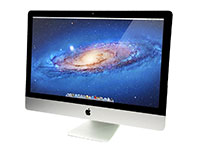
Explore our live inventory of refurbished laptops and desktop computers today to find the perfect match for your workflow. Whether you want a Mac desktop or a Windows business desktop PC, for simple or demanding tasks, we have everything you need to improve your employee productivity.
Contact our sales team for a tailored quote on bulk orders and start saving without sacrificing quality. Choose an efficient desktop over an All-In-One for better long-term ROI.


