Call 888-654-3376
 888-654-3376
 My Account
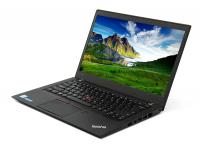
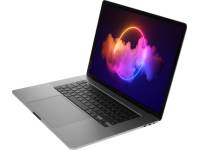
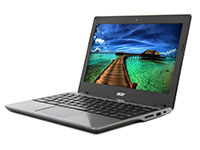

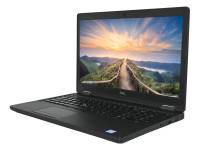







The best price for a laptop isn't a set number; it is the point where the right specs meet a matching budget for your workload. Whether you are an IT manager equipping a whole team or a small business owner replacing one aging machine, overpaying for features you will never use is as costly a mistake as underbuying and hitting performance walls six months later.
This guide walks IT managers, small business owners, and sensible buyers through the pricing tiers you will encounter, the factors driving those costs, and how to align spending with realistic needs.
Average Laptop Price Ranges to Know Before You Buy
Before deciding how much RAM you need, it helps to understand how the laptop market organizes itself so you can find the best laptop for your needs. Prices fall into recognizable tiers, and each carries distinct trade-offs worth examining before you choose a laptop.
Understanding where refurbished laptops fit within this structure reveals significant savings potential: professionally restored units typically cost 30% to 60% below retail prices while delivering comparable performance and reliability.
Here is a detailed breakdown of what to expect at each price level when browsing laptop deals.
|
Price Tier |
New Price Range |
Refurbished Price Range |
Typical Use Case |
|
Entry-level |
$300-$600 |
$150-$350 |
Basic browsing, email |
|
Mid-range |
$600-$1,200 |
$350-$700 |
Office work, multitasking |
|
Business-class |
$800-$1,800 |
$400-$900 |
Productivity, reliability |
|
High-performance |
$1,500-$3,000+ |
$800-$1,800 |
Creative/technical workloads |
One important factor in the equation is how certified refurbished Windows laptops can change what each tier can deliver.
A commercial model that would otherwise sit in the upper bracket becomes available at accessible low prices when sourced from a trusted refurbisher, reshaping how much power your budget can attain. For more information, see our guide on the best laptops under $500.
What Affects the Price of a Laptop?
Laptop pricing is not arbitrary. It reflects a combination of performance hardware, structural quality, portability engineering, brand positioning, and device condition.
Grasping what drives these costs helps you identify where your money earns its keep and where it falls short. The processor serves as the largest pricing driver, making it the logical place to start your search for the perfect laptop.
Processor and Performance: AMD Ryzen and Intel Core
Think of the processor as the engine underneath everything else. It determines how fast a computer starts up, how responsive applications feel during everyday use, and how well the machine handles heavy multitasking.
Introductory chips manage light workloads, such as email and simple document editing, without issue. Mid-tier processors, such as Intel Core i5 models, remain the sweet spot for most business users, handling daily office productivity, Zoom calls, and essential Microsoft software without strain.
High-performance CPUs, such as higher-end Intel Core and AMD Ryzen processors, are built for workloads that demand sustained performance, including 3D design, large-dataset analysis, and modern games.
Matching the processor to your exact workload, rather than chasing the most impressive spec sheet available, leads to smarter purchasing decisions.
A dependable CPU paired with adequate memory and rapid storage covers a wide array of office needs across a three-to-five-year device lifecycle, creating an optimal balance for cost-conscious buyers.
RAM and Storage
If the processor acts as the engine, RAM serves as the workspace. More memory allows the laptop to handle more active tasks at once, enabling smoother transitions between a spreadsheet, video playback, and a dozen browser tabs.
Drop below 8GB in a typical office environment, and you will feel that bottleneck every day. Storage space and type matter as much as capacity, especially compared to older hard drives.
A solid-state drive opens applications and files in seconds, whereas a traditional hard drive makes those same operations feel labored by comparison. For any professional environment, SSD storage serves as the baseline expectation rather than a luxury.
Both factors carry a direct cost that raises the purchase price while extending how long the device stays productive. A machine needing replacement after two years because it lacked more memory costs more over its lifetime than one bought right the first time.
For most everyday tasks, 8GB of RAM and a 256GB SSD represent a sensible floor. Stepping up to 16GB opens the door to heavier workflows without causing a large jump in expenditure.
Screen Size and Display Quality
The display dimensions shape both portability and price. Compact 13-to-14-inch laptops travel well and often cost less, while 15-to-16-inch models offer greater desk comfort, a full keyboard with a numeric keypad, and sometimes a better display.
For desk-based work, the extra physical footprint earns its keep, while frequent travel tips the scales toward lightweight alternatives. Display resolution and panel quality affect readability during long workdays, clarity on video calls, and general eye comfort.
Full HD resolution is the accepted benchmark for corporate use, covering most office scenarios without pushing the price upward. Features like a touch screen, OLED panels, or factory-calibrated color accuracy matter for graphic designers, video editors, and creatives.
For everyday business use involving documents and web applications, those high-end display specifications add extra cost without improving daily output. Knowing where you fall on that spectrum protects your available budget when browsing Windows laptop options.
Brand, Build Quality, and Condition
Not all portable computers are built to identical standards, even when specifications look similar on paper. Business-grade lines carry a premium over consumer equivalents due to reinforced chassis designs, enhanced security, easier serviceability, and extended warranties.
A consumer-grade notebook at the same price point may look comparable at first glance, but a cheap laptop reveals limitations faster under sustained daily use. Superior repairability and stable performance over multiple years illustrate where commercial hardware separates itself.
Device condition adds another meaningful variable to the overall equation. New, open-box, and certified refurbished desktop computers or laptops occupy distinct value positions within the broader electronics market.
A restored commercial model that has undergone testing and features warranty coverage delivers notable savings compared to retail pricing while meeting strict requirements. This represents a different budget calculus for IT managers and small business owners aiming to maximize their purchasing power.
|
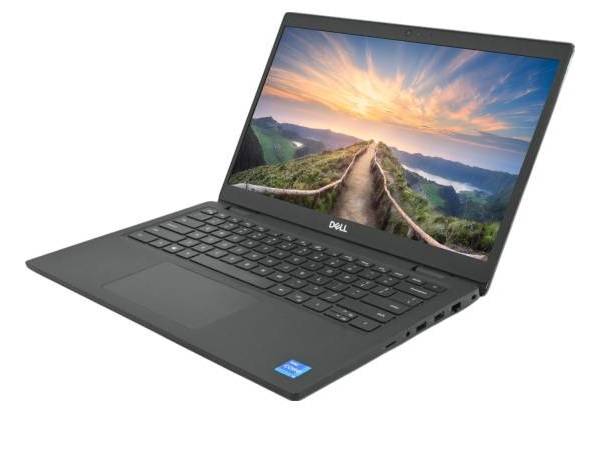
#1 Budget-Friendly Daily Driver |
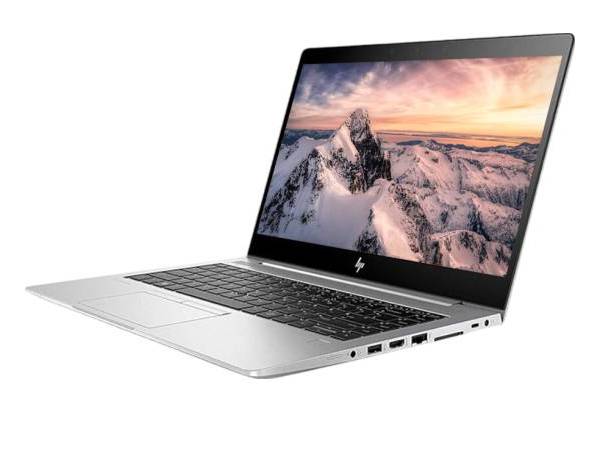
#2 Professional Portability |
#3 Powerhouse Workstation |
|
|
|
|
|
Dell Latitude 3420 14" Laptop ★★★★★
|
HP EliteBook 840 G6 14" Laptop ★★★★★
|
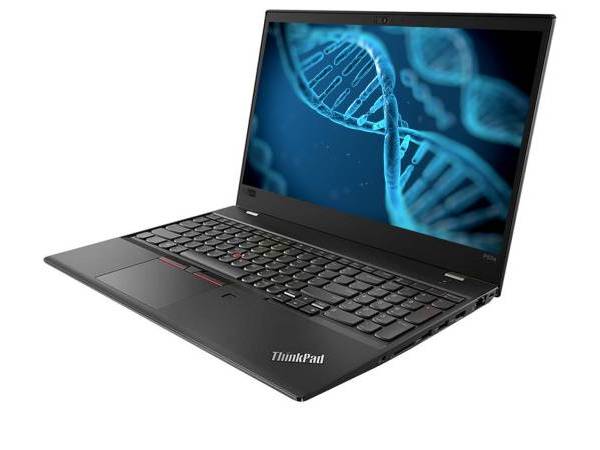
Lenovo ThinkPad P52s 15.6" ★★★★★
|
How Much Should You Spend Based on Your Needs?
The correct spending level follows one clear principle: match the device to realistic software demands, expected lifespan, and user count rather than aspirational specs.
Overbuying means paying for computational power that sits unused, whereas underbuying triggers a replacement cycle arriving sooner than planned.
Evaluating these factors prevents wasted capital and frustrating performance bottlenecks down the line. Here is how that dynamic plays out across four common workload profiles.
|
Use Case |
Recommended Budget Range |
Processor |
RAM |
Storage |
Graphics |
|
Basic browsing/email |
Lower tier |
Intel Core i3/i5, AMD Ryzen 3 |
8GB |
128-256GB SSD |
Integrated |
|
School/office work |
Mid-range |
Intel Core i5, AMD Ryzen 5 |
8-16GB |
256GB SSD |
Integrated |
|
Business/multitasking |
Mid-to-upper range |
Intel Core i5/i7, AMD Ryzen 5/7 |
16GB |
256-512GB SSD |
Integrated |
|
Design / advanced software |
Upper range |
Intel Core i7/i9, AMD Ryzen 7/9 |
16-32GB |
512GB+ SSD |
Dedicated GPU |
Basic Use and Web Browsing
This tier covers email, web-based tools, media streaming, and light document editing without demanding software. An Intel Core i3 or i5 processor paired with 8GB of memory and solid-state storage delivers fast startup times and fluid browser performance. Integrated graphics handle everyday tasks without issue.
The value proposition for refurbished hardware is strongest in this category. A professionally restored unit at this tier delivers dependable output at a price well below entry-level new models. Think of receptionists managing calendars, administrative assistants running web tools, or secondary workstations handling overflow tasks; none requiring cutting-edge specifications. For these roles, start with our low cost refurbished laptops.
School or Office Work
This represents the most frequent workload profile across SMB environments, encompassing document processing, spreadsheets, video conferences, and intensive browser tab management. An Intel Core i5 or AMD Ryzen 5 processor with 8 to 16GB of memory and high-speed storage handles these tasks without friction. Integrated graphics meet all standard office application needs.
Beyond core specifications, functional details matter: backlit keyboards for frequent typing, clear webcams for hybrid team calls, and battery life supporting full untethered shifts. Remote employees, office managers, and client-facing roles all benefit from getting these details right.
Business and Multitasking with Windows Laptops
Complex workloads involving CRM platforms, accounting software, sustained multitasking, and heavy spreadsheet manipulation demand more processing power.
An Intel Core i5 or i7 processor with 16GB of RAM ensures smooth performance across multiple applications. Integrated graphics remain sufficient unless specific software requires dedicated GPU support.
Refurbished enterprise-grade equipment like Dell Latitude, Lenovo ThinkPad, or HP EliteBook models deliver better value than new consumer alternatives at the same price. You can browse the Latitude range among our Dell refurbished laptops. Rugged builds, integrated security features like fingerprint readers, and stable performance over prolonged lifecycles translate into lower total cost of ownership.
Commercial-grade hardware pays for itself through reduced support overhead and fewer unplanned replacements.
Gaming, Design, or Advanced Software: Discrete Graphics Requirements
Creative and technical tasks like video editing, 3D rendering, and GPU-accelerated design require premium components. An Intel Core i7/i9 or AMD Ryzen 7/9 processor, abundant memory, high-capacity storage, and a dedicated GPU become unavoidable when specialized software demands them. Most premium laptops in this tier mirror gaming laptop specifications.
Most IT managers and SMB teams do not operate at this intensive tier. If your software stack lacks dedicated graphics requirements, spending extra capital yields zero productivity improvement.
Evaluate exact application prerequisites before committing to high-end components. The savings can fund broader hardware coverage across your organization.
Common Laptop Buying Mistakes to Avoid
Even experienced buyers fall into predictable patterns when purchasing laptops. Here are the mistakes worth building a checklist around before making a final decision on laptop computer deals.
Buying Based on Initial Price
The upfront tag ignores warranty coverage, expected lifespan, and total ownership expense; the cheapest option costs more over time when replacement cycles arrive early. A $400 consumer laptop that fails after 18 months costs more than a $600 refurbished business-grade unit that operates reliably for five years.
Calculate total cost of ownership by factoring in warranty protection, expected replacement timing, and potential repair expenses. Smart buyers prioritize value over the lowest sticker price when comparing options.
Overbuying on Performance
Paying for processing power like an Intel Core Ultra, GPU capability like Intel Arc graphics, or storage capacity that daily workflows will never utilize raises costs without adding a quantifiable productivity gain.
Evaluate your actual software requirements before committing to high-end specifications that sit idle. Redirecting those savings toward additional team coverage or extended warranties often delivers better business outcomes.
Underestimating Memory or Drive Needs
Insufficient RAM creates bottlenecks in routine environments, and undersized storage drives force earlier device replacement than planned. A laptop with 4GB of RAM struggles with modern multitasking, while 128GB of storage fills quickly once you install essential applications and save work files.
Aim for 8GB of RAM as a minimum baseline and a 256GB SSD storage for professional use. Upgrading these components later often costs more than specifying them correctly during initial purchase.
Ignoring Condition Details and Warranty Terms
Vague grading and absent coverage present risk factors that matter when comparing distinct options side by side.
Reputable refurbishers like PCLiquidations provide clear condition grades (A, B, C) and include warranty protection, while marketplace sellers often omit these protections entirely. Verify what testing and refurbishment processes were completed before the device shipped. Our list of common mistakes businesses make when buying refurbished computers has more tips on evaluating vendors, warranties, and total ownership costs.
Choosing Consumer Models When Business Units Serve Better
Consumer-grade builds sacrifice the durability, serviceability, and long-term reliability that commercial machines are engineered to provide. Business-class laptops feature reinforced hinges, spill-resistant keyboards, better thermal management, and easier component access for repairs.
The total cost advantage becomes clear when you factor in fewer support tickets and longer replacement cycles.
Overlooking Workflow-Critical Features
Missing a USB-C or USB-A port, webcam clarity, keyboard ergonomics, and battery life affect daily output and deserve attention alongside the core specification comparison. A remote employee needs a quality webcam and microphone for video calls, while road warriors require 10+ hours of battery life.
Verify that essential connectivity options match your existing peripherals and docking stations before purchasing.
Get the Best Prices on Laptops at PCLiquidations
With over 30 years in the refurbished IT market, PCLiquidations brings both deep product knowledge and a track record newer liquidators cannot replicate.
Every device in the inventory undergoes extensive testing and refurbishment before it ships, backed by up to a 1-year warranty. This provides a level of purchase confidence that auction-style platforms fail to offer when searching for laptop computer deals.
The catalog covers the enterprise-grade brands that professional environments trust, including Dell Latitude, HP EliteBook, Lenovo ThinkPad, and Apple MacBook. Pricing runs well below retail, meaning the same budget that buys a fresh consumer notebook can reach a business-class refurbished model instead, whether powered by AMD Ryzen or Intel Core chips.
Shop the full selection of certified refurbished laptops, then compare options by budget, brand, and performance tier. You can also call 888-654-3376 to speak with a specialist about volume pricing or commercial account options for Wi-Fi-enabled units.