Call 888-654-3376
 888-654-3376
 My Account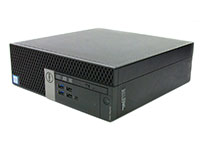

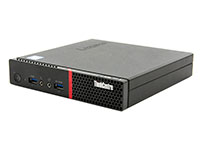
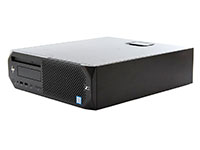
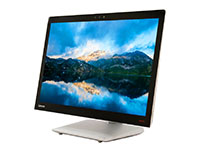
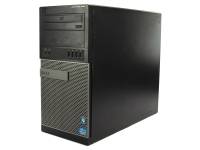
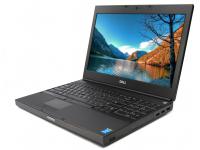
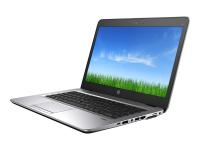
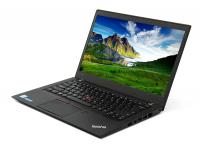
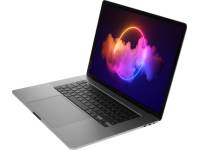
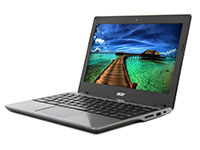

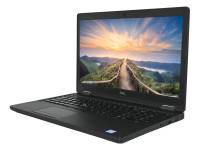
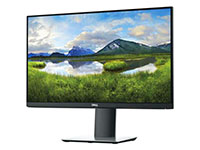








Researching the disadvantages of refurbished computers before committing to a purchase is a smart due-diligence move, not a hesitation to be embarrassed about. IT managers, SMB owners, and business buyers have budget accountability, and equipment decisions carry consequences when weighing the pros and cons of buying new versus refurbished equipment.
These questions are fair and reflect a reasonable effort to weigh the pros and cons. The problem is that most available information blurs a crucial distinction: the difference between an unverified machine from a previous owner and certified refurbished products that have gone through systematic inspection, repair, and quality assurance to protect sensitive data.
That confusion is where the myths take root. This helpful guide addresses five persistent misconceptions consumers raise when buying old refurbished computers, assessing value, and weighing the pros and cons.
Myth 1: A Refurbished Computer is Slow Compared to a New Computer
The Myth
Any pre-owned device must be sluggish. Older hardware implies outdated specs, and obsolete specifications mean waiting on every task your team needs to complete.
The Reality
Speed is a function of processors, RAM capacity, storage type, and workload demand, not whether the machine was in the hands of a previous owner. A refurbished computer or refurbished laptop equipped with a current-generation CPU, ample memory, and an SSD will outperform a brand-new laptop built for entry-level use that relies on a legacy hard drive.
Solid-state drives alone represent a meaningful shift in day-to-day responsiveness. Boot times drop from minutes to seconds, allowing users to start work without delay on their refurbished computers.
Applications open faster. File transfers that once crawled through standard hard drive parts move at a rapid pace on refurbished laptops.
For a team running email, web applications, Microsoft 365, video calls, and normal productivity tools, a well-specified refurbished system delivers the same smooth experience as a new laptop at a fraction of the cost.
The Business Takeaway
Match system features to your team's workload requirements rather than defaulting to new products or a new computer. A renewed configuration with sufficient solid-state storage handles most office conditions without paying a premium for processor power that sits idle.
Performance concerns remain the first objection a buyer will raise. Concerns about whether reliable refurbished laptops can handle modern software tend to follow close behind, which brings us to the next point.
Certified refurbishment also addresses security concerns. A fresh operating system installation and professional data-wiping procedures remove traces of previous user data and help ensure the device is ready for business use. Comparing a refurbished machine against the same model from a factory line typically shows negligible speed differences when the specifications are equivalent.
Myth 2: Refurbished Computers Are Damaged, Open Box, or Unreliable
The Myth
Refurbished means returned, an open box failure, broken, or carrying cosmetic issues. Consumers who have picked up an untested device from a secondary market and watched it fail within days have plenty of reason to approach this category with caution.
The Reality
A restored computer and a used-as-is device are not in the same category. The professional refurbishment process that verified technicians execute follows a repeatable sequence, checking all the materials:
- Inspection: structural and operational assessment of every unit
- Testing: hardware diagnostics across all components, including the screen
- Repair or replacement: worn or non-functional parts are addressed before the unit moves forward
- Cleaning: detailed external and internal cleaning
- Software preparation: operating system installation, firmware updates, BIOS checks, and configuration
- Final quality assurance: end-to-end validation before the machine ships
PCLiquidations' refurbishment standards are designed to meet manufacturer specifications where applicable. Every unit ships with a guarantee, a return policy, no restocking fees, and direct customer support.
Condition grades communicate physical appearance, so every buyer knows what to expect before purchasing. Minor cosmetic imperfections like tiny scratches or minor wear and tear reflect normal use but never impact operational performance.
The Business Takeaway
Distinguish between condition grades and understand what each means for cosmetics versus operational capability. Review all warranty terms and the return policy before purchasing a refurbished computer.
Buy from sellers with established standards and provable customer feedback. Reliability concerns lead to questions about how long the equipment will last, which is what the next section addresses.
When evaluating these options, keeping pragmatic expectations helps guide the decision process. Finding a quality product that looks like new is achievable when dealing with reputable resellers who value consumer trust.
Ready stock of machines awaits buyers who know what types of systems to look for. Fast shipping ensures your office operations never miss a beat.
Evaluating all the materials involved in rebuilding a machine provides helpful insights. Taking these steps ensures peace of mind, making this the last time you ever worry about ordering a used computer.
|
Warning/Important: "Used" is not synonymous with "refurbished." Only professionally refurbished devices undergo multi-step testing, repair, and QA. Untested marketplace buys carry the real risk of failure. |
Refurbished computers from PCLiquidations deliver premium performance and reliability at 30–60% below retail, all backed by rigorous testing up to a 1-year warranty.
|
#1 The Portable Powerhouse |
#2 The Space-Saving Workstation |
|
|
|
|
Lenovo ThinkBook 14 G2 ITL ★★★★★
|
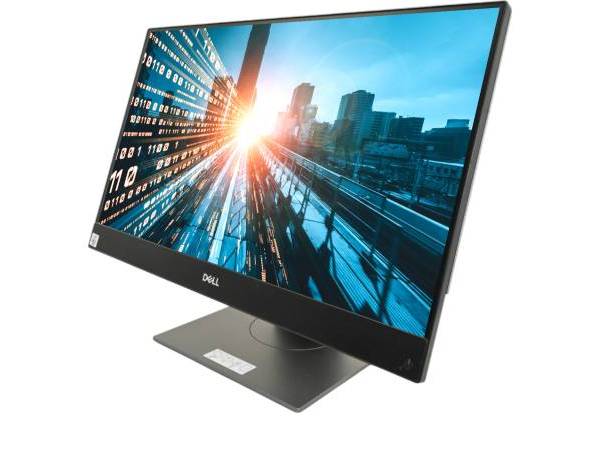
Dell OptiPlex 7490 AiO ★★★★★
|

Myth 3: Eco-Friendly Refurbished Laptops Do Not Last as Long as a New Laptop
The Myth
Prior use has already consumed most of the machine's beneficial life. Buy a refurbished computer today, and you will need to replace it with a new one in six months.
The Reality
Lifespan depends on original build quality, refurbishment conditions, maintenance history, workload demands, and upgrade potential, not prior use alone. Business-class desktops and refurbished laptops from top brands are engineered for multi-year corporate environments.
Many units arrive at refurbishers after one to three years of use in a controlled office setting, with substantial operational life remaining. Professional refurbishment addresses wear, aging components, and other signs of use.
Any components that don't meet performance standards are replaced during refurbishment, and comprehensive system validation ensures the device entering your office operates at full capacity. It has been restored to manufacturer specifications.
For light-to-moderate office tasks such as document editing, web browsing, email, and video conferencing, a refurbished system handles those demands without strain. Battery performance can often be improved by installing a replacement battery and checking the power supply during the rebuild.
The mismatch that shortens equipment life is not refurbishment. It is purchasing the wrong tool for the job.
The Business Takeaway
Review warranty terms and condition grading before purchasing to understand cosmetic appearance. Match your system specifications to your workload, just as you would when buying new equipment.
Ask about upgrade compatibility when evaluating higher-specification units if future expansion matters to your workflow. Performance and reliability match new equipment when specifications are properly aligned to your needs.
Evaluating the lifespan requires understanding the difference between consumer and business grades. Commercial lines boast superior components that outlast cheaper retail alternatives.
Myth 4: Refurbished Devices Are Too Outdated for Modern Use

The Myth
Refurbished means older model years, and older versions mean incompatibility with current operating systems, software, and workflows. Rapid hardware cycles have made obsolete items from previous owners common by the time they reach a consumer.
The Reality
Many refurbished systems support Microsoft 365, Google Workspace, cloud platforms, collaboration tools like Teams, standard browsers, and frequent office workflows without issue. Outdated has meaning when measured against specific task requirements, not against this year's new products catalog.
Compatibility comes down to OS support timelines, software minimum requirements, port availability, connectivity options, and upgrade paths.
A three-year-old enterprise laptop running current software and meeting your application requirements delivers the same daily performance as a new machine at that specification level. When the hardware matches your software needs, the purchase date becomes irrelevant to actual capability.
When greater processing power, expanded memory, or dedicated graphics are needed, buyers can select restored models featuring newer components. High-end configurations that fit within a buyer’s budget may still be available through reputable refurbishers.
PCLiquidations carries a broad inventory of certified electronics across refurbished laptops, desktops, Apple devices, monitors, networking equipment, printers, and accessories. That range gives business buyers practical options across multiple specification tiers and price points.
You do not need to default to a brand new computer as the only path to modern capability. Assessing current workload needs before assuming new materials are required saves capital when buying refurbished devices.
Older technology does not mean the device is incapable. A trusted manufacturer designs corporate machines to handle diverse applications over extended periods, making refurbished laptops a smart investment.
|
Pro Tip: Before assuming you need the latest model, check your software’s minimum requirements. An enterprise-grade refurbished system from 2-3 years ago often exceeds them with ease. Check those requirements against the specs of any refurbished Windows laptop you are considering. |
Myth 5: Minor Cosmetic Imperfections Mean Lower Quality
The Myth
Discounted pricing triggers a familiar assumption: if the price is low, something must be wrong. Buyers associate refurbished pricing with clearance merchandise or defective open-box returns sitting in a warehouse somewhere.
The Reality
The lower price on refurbished computers under warranty reflects depreciation, prior ownership, bulk enterprise turnover, and economic factors, not hidden defects or compromised standards. PCLiquidations prices corporate-grade equipment at a discount below retail. The current laptop deals are an easy place to see that discount.
That gap represents budget recovery, not a trade-off in performance or accountability. True quality is determined by condition grading, testing standards, warranty coverage, and seller credibility.
None of those factors is a direct function of the price tag. A refurbished computer backed by a one-year warranty and sourced from a seller with decades of industry experience carries deep accountability and trust.
That level of trust can exceed what you get from a brand-new laptop purchased through an unvetted listing with no post-sale support. The savings generated through a refurbished purchase can be redirected toward software licensing, security service tools, accessories, or a broader fleet deployment.
Choosing eco-friendly electronics reduces electronic waste, keeping toxic plastics out of landfills. This extends the operational life of devices that would otherwise enter a disposal stream long before their lifespan is exhausted.
The Business Takeaway
Evaluate quality and value through condition grading, warranty terms, and seller reputation. Factor in the total cost of ownership when comparing refurbished computers and new hardware options.
Consider what the budget recovery can fund across the rest of your IT environment. Strategic reinvestment of saved money drives overall corporate growth.
|
Key Insight: The price gap on refurbished hardware reflects depreciation and bulk turnover, not a quality trade-off. It’s budget recovery that funds your next IT initiative, not a discount on reliability. |
How Refurbished Computers Can Perform Just as Well as Brand New Ones
Myth-busting is informative, but it is only half the job. The true question for business buyers is: under what conditions does a refurbished system deliver performance on par with a new one?
Four elements drive that outcome: specifications matched to the workload, comprehensive refurbishment by certified technicians, a seller with verifiable testing standards, and appropriate use case fit.
When all four align, the performance difference between refurbished computers and new computers narrows to the point where it stops mattering in day-to-day use.
Standards vary by seller, so sourcing from verified refurbishers matters more than the label on the listing. Before purchasing a used computer, run through this checklist to confirm the configuration meets your requirements:
- Processors generation and RAM capacity relative to workload demands
- SSD storage for faster boot times and improved day-to-day responsiveness
- Battery condition or power supply status for refurbished laptops
- Warranty terms, return policy, and no-restocking-fee confirmation
- Cosmetic grade versus functional condition distinction
- Upgrade paths and long-term compatibility considerations
The table below puts the three purchasing options side by side across the factors that matter most for business buyers assessing pros and cons:
|
Factor |
Brand New |
Used As-Is |
Professionally Refurbished |
|
Price |
Full retail |
Low, variable |
Priced below retail |
|
Testing |
Factory QA |
None |
Multi-step diagnostic process |
|
Warranty |
Manufacturer warranty |
None or limited |
Standard guarantee |
|
Support |
Manufacturer |
Seller-dependent |
Direct customer service support |
|
Business Readiness |
High |
Variable |
High |
Buy Reliable Refurbished Laptops from PCLiquidations
The truth about refurbished computers is straightforward: the only real difference is cosmetic. Minor blemishes like light scratches or slight exterior wear have zero impact on performance, speed, or reliability. Beyond those superficial details, professionally refurbished systems work just as well as brand-new equipment.
PCLiquidations has been placing commercial-grade refurbished technology in businesses across North America since 1991. That history represents decades of strict refurbishment standards, customer relationships, and IT procurement expertise.
That background is reflected in a 5-star rating from over 15,000 verified buyers and in the quality behind every unit that ships. Every purchase is backed by up to a 1-year warranty.
You gain business-tier technology at a fraction of the retail cost, keeping your budget secure. Making the wise choice benefits both your organization and the global environment.
Performance, savings, and sustainability are all within reach when the right refurbishment partner is behind the equipment. Evaluate your workload needs, compare specifications, and shop warranty-backed, certified refurbished computers at PCLiquidations today.