Call 888-654-3376
 888-654-3376
 My Account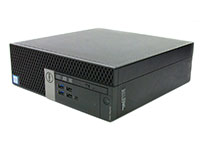

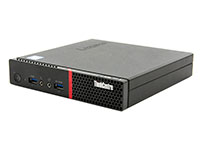
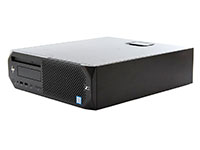
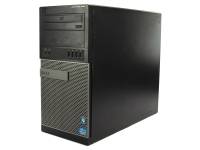
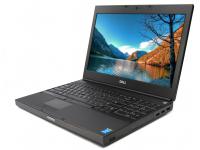
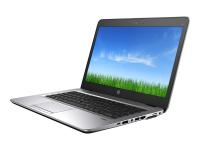
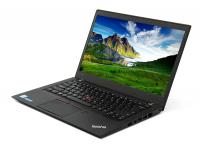
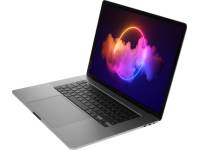
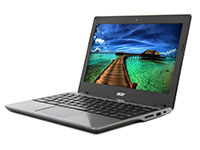

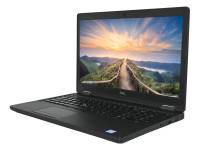
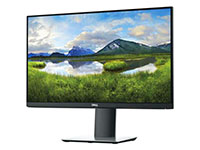







Businesses that choose refurbished hardware can save 30 to 50 percent on IT costs. The savings are real, but only when the buying process is handled with care.
In practice, many organizations lose those gains through avoidable purchasing mistakes, often tied to pricing decisions, unclear condition standards, or gaps in vendor evaluation.
This guide breaks down five of the most common mistakes businesses make when buying used, along with steps to avoid them.
1. Focusing Only on Price
Sticker price is often a misleading factor in IT buying decisions. When budgets are tight, the lowest price is usually the most attractive. However, focusing only on upfront costs can increase expenses.
Before buying based on price alone, consider these hidden costs:
- Repair expenses when no warranty covers hardware failures.
- Productivity losses from unreliable systems.
- Shorter replacement cycles that wipe out any initial savings.
- Full out-of-pocket risk when cheap units fail without vendor support.
To avoid these pitfalls, businesses should use a total cost of ownership (TCO) approach. TCO evaluates the full cost of the hardware over its usable life, not just the purchase price.
This includes warranty length, seller reliability, grading transparency, and post-purchase support. A cheaper unit from an unknown seller with no warranty can cost more over time than a refurbished desktop from PCLiquidations.
With a fixed-price model, no restocking fees, and a warranty, you get more value, not just a lower price. Before approving any refurbished computers for business, evaluate the full TCO, including warranty coverage, expected lifespan, and the cost of downtime.
|
Warning/Important: Chasing the lowest price without factoring in warranty and support can turn savings into a liability. Always calculate the total cost of ownership before buying. |
2. Not Understanding the Difference Between Used and Refurbished
Assuming used and refurbished are interchangeable causes buyer disappointment and wasted IT spend. The terms describe very different conditions, and confusing them leads to poor purchasing decisions.
The table below outlines the key condition tiers:
|
Condition Tier |
What It Means |
What to Expect |
|
Used / As-Is |
Sold without inspection, repair, or testing. What you see is what you get. |
Unknown service history, no functional guarantees, and inconsistent cosmetic condition. |
|
Refurbished |
Inspected, tested, repaired, and cleaned to working condition. |
Reliable baseline performance, disclosed cosmetics, and often backed by a warranty. |
|
Off-Lease |
Previously deployed in corporate environments, returned at the end of the lease. |
Well-maintained enterprise hardware. |
|
Open Box / Like New |
Returned unused or used with zero wear and tear. |
Near-new performance and appearance. |
Beyond these broad categories, reputable sellers use specific condition grading tiers, such as Grade A for minor cosmetic marks or Grade B for visible wear.
The critical distinction here is that grading cosmetics is different from certifying function. What matters is whether the seller can demonstrate their grading methodology. This helps buyers understand both performance expectations and cosmetic variance.
Before purchasing, ask the seller what their refurbishment process includes and how each condition grade is defined. This will help you get the cost benefits of refurbished computers while ensuring you choose systems that meet your performance and reliability needs.
|
Did You Know: Desktops and laptop computers sold for refurbishment and resale average $20–100 per unit, while units sold directly to individuals for reuse can reach $250–350 per unit. |
|
Lenovo ThinkCentre M70q G5 Tiny Computer i5-14400T - Windows 11 Pro | |
|
|
|
|
|


3. Ignoring Returns and Seller Reputation
Buying refurbished IT equipment from an unvetted seller puts risk on the buyer. If something fails, you may have no returns and no real support.
This risk increases with bulk purchases, where one vendor's decision affects every unit. A trustworthy seller should offer:
- Warranty Coverage: Expect at least 90 days. Best-in-class sellers provide a standard one-year refurbished computer warranty on all units.
- Return Policy: Look for returns without restocking fees that signal confidence.
- Verified Reputation: Requires documented customer reviews at high volume, consistent star ratings, and demonstrable years in business.
- Responsive Support: Ensure there is a team to contact when questions arise, not an automated ticket queue.
When evaluating reputation, look beyond the star rating. Review volume matters. A 4.8 rating from 50 reviews is not the same as a 4.7 rating across thousands of transactions.
General marketplaces lack consistent quality control and standardized grading, which increases risk for businesses that depend on reliable hardware. By contrast, PCLiquidations has a 4.7 out of 5-star rating across more than 24,000 reviews, with over 30 years in business since 1991.
Before buying from any refurbished IT seller, verify their reviews, confirm return and warranty, and make sure they stand behind their products. A practical approach is to align device replacement planning with a four-year lifecycle, since performance and reliability typically decline beyond that point, while maintenance and downtime costs tend to increase.
|
Warning/Important: Buying from an unvetted seller leaves you exposed if hardware fails. Always verify warranty, return policy, and real customer reviews before committing. |
4. Buying Without Assessing Performance, Compatibility, and Scalability
Purchasing hardware that functions but fails under business workloads is a mistake. This error happens most when purchasing decisions are driven by price or made without input from the IT team.
To avoid buying mismatched hardware, every business buyer should apply this three-part assessment framework:
Current Workload Requirements
Buyers must map hardware specifications to actual daily use cases. A spec sheet only matters in the context of what the device will run.
A basic office setup needs far less power than data-heavy enterprise resource planning (ERP) systems, remote access environments, or creative design workloads. The following variables dictate performance for most business applications:
- RAM capacity for smooth multitasking and browser performance.
- Processor generation and tier for processing speed.
- Storage type, favoring SSDs over HDDs for faster application load times.
List your team's heaviest applications first, then source hardware that exceeds those requirements to prevent premature underperformance.
Compatibility With Existing Systems
Hardware that doesn’t integrate with your current infrastructure can create IT costs. In many cases, the time spent on setup and troubleshooting outweighs any upfront savings.
Before buying, evaluate these key compatibility factors:
- Operating system alignment with your software and IT policies.
- Peripheral connectivity, including docking stations, USB-C standards, and monitor outputs.
- Network protocol compatibility for managed environments.
- Software licensing requirements, including whether licenses transfer to new devices.
Before placing a bulk order, test one unit in your environment first. It’s the best way to catch integration issues before they turn into company-wide deployment problems.

HP EliteDesk 800 G4 SFF Computer i5-8500 - Windows 11 - Grade A
[HP EliteDesk 800 G4]
Room for Future Growth
Scalability is a business investment issue, not just a technical one. Hardware that meets today’s needs but can’t support growth in 18 to 24 months can force a refresh cycle and erase your initial savings.
When evaluating systems, consider whether the hardware will still support your team and software as demands grow. Prioritize systems with upgrade paths, such as expandable RAM, modular components, and extra storage, over fixed-spec devices that require full replacement.
Buying above your current needs can help you avoid an entire refresh cycle later and get more value from every hardware investment.
5. Overlooking Testing, Condition, and Software Readiness
A device can still fail under workloads. Before buying, make sure the seller verifies:
- Performance and hardware health.
- Battery condition.
- Secure data destruction.
- OS licensing and transferability.
Without that, you risk downtime, compliance issues, and additional costs. Always ask for testing or QA documentation before purchase.
|
Warning/Important: Visual inspection is not enough. Demand documented testing, data destruction records, and battery health disclosures to avoid operational risks. |
Why PCLiquidations Is a Trusted Name for Used and Refurbished Computers
The mistakes above are avoidable with the right vendor. Since 1991, PCLiquidations has helped businesses buy refurbished IT with less risk and more confidence.
Why businesses trust us:
- 4.7/5 stars across 24,000+ reviews
- 30+ years in business
- US Department of Defense (DOD) compliant data destruction
We combine tested hardware, clear condition grading, transparent pricing, and dependable support. Whether you need one system or a full rollout, PCLiquidations delivers scalable solutions designed to support everyday business operations without disruption.
Make a Confident Refurbished Computer Purchase
Buying used IT doesn’t have to feel risky. With the right checklist, you can look beyond sticker price, confirm condition and testing, and verify the seller before you buy.
The goal is to choose hardware that fits current needs and future growth. Key details such as battery health, operating system licensing, and deployment readiness should be confirmed before purchase. When done right, refurbished IT is not a compromise but a business advantage.
To take the next step, browse our inventory of refurbished business desktop computers, contact us for bulk pricing and account support, or explore our IT asset disposition services for surplus equipment handling and computer recycling.