Call 888-654-3376
 888-654-3376
 My Account










Traditional phone systems were built for a different era, one where businesses stayed in one place and calls came from a single physical line. For modern small businesses, that model is too expensive and slow. Upgrading to a modern small-business phone system on a business VoIP network is often the smartest choice.
However, finding a VoIP phone system that works well for every type of business is challenging. The best system for a medical practice looks very different from the platform a real estate team needs.
This guide breaks down the top VoIP providers by industry, helping you select the right communication channels for your business. It also shows you how to cut hardware costs by partnering with PCLiquidations.
VoIP System for Retail Businesses
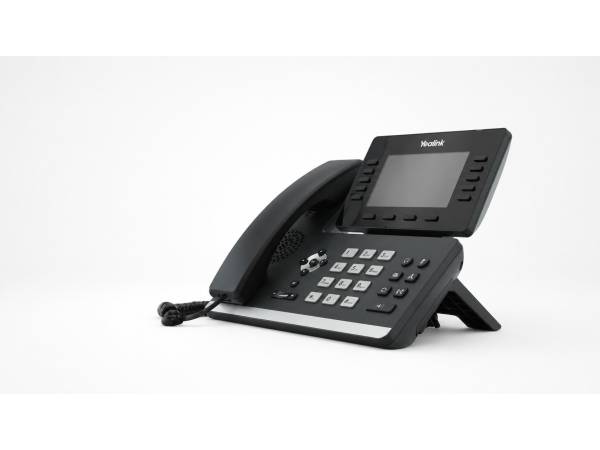
Yealink SIP-T54W
Retail stores face high call volumes during flash sales, holidays, and other busy periods. A retail VoIP phone service should handle these spikes without dropped calls or long hold times. Key features to prioritize include:
- Call hold, call forward, call waiting, and call transfer to manage customer inquiries efficiently
- One-touch speed dial, hotline, mute, and DND for quick communication control
- Redial, call return, and auto answer to reduce missed customer connections
- SMS capability for appointment reminders and order updates
The Yealink SIP-T54W fits this environment well with its 4.3-inch color display, built-in Wi-Fi, Bluetooth support, and USB headset compatibility. It’s designed for fast-paced retail counters where flexibility matters.
|
Pro Tip: Invest in call queues before peak seasons. A single busy hour of missed phone calls can cost you more than the monthly VoIP subscription. |
VoIP Service for Healthcare Practices
Yealink T46S
In healthcare, a phone system failure or data breach can create serious legal and reputational risks. Because patient trust and compliance are critical, healthcare providers need VoIP platforms built for security.
Desk phones such as the Yealink T46S suit this kind of setting. Key advanced features include:
- One-touch speed dial and hotline for efficient call management
- Call forward, call monitoring, and call transfer to route patients to the right provider
- Group listening and emergency call for collaborative care and urgent situations
- Auto answer and 3-way conferencing for streamlined communication
The right system helps reduce front-desk workload, route after-hours calls, and safeguard patient information at every touchpoint.

|
Key Insight: HIPAA compliance isn't a feature you can add later. Choose a provider that bakes security and compliance into every call, message, and recording. |
VoIP System for Law Firms
Yealink MP54
A VoIP system for a legal practice must go beyond basic call handling to deliver the documentation capabilities that attorneys and their clients expect.
A law firm's business communication setup should include the following call handling features:
- End-to-end encrypted phone calls to protect attorney-client privilege and secure internal and external communications
- Automatic call recording and secure archiving for accurate case documentation
- HD Voice technology for crystal-clear audio quality
- Voicemail transcription for message review between court sessions
A well-configured platform, such as the Yealink MP54 E2 Zoom IP Business Phone protects confidential conversations and projects the kind of professional image that builds client confidence.
Call Conferencing for Real Estate Businesses
Yealink SIP-T52S
Real estate is a business driven by speed. A missed call from a motivated buyer or a delayed response to a listing inquiry can cost a deal.
The most important VoIP features for real estate professionals using a mobile device include the following.
- Mobile app synchronization with full desk-phone capabilities
- Call forwarding to maintain a professional presence on any screen
- Business texting and SMS messaging for quick client updates without switching communication platforms
- 3-way conference call capability for connecting buyers, sellers, and agents simultaneously
With the correct Yealink SIP-T52S setup, agents never miss a lead, always reach clients from recognizable phone extensions, and keep the entire team aligned on showings and offers.
Advanced VoIP Phone Setups for Call Centers
Poly CCX 400
A VoIP system for this demanding environment needs to be built for volume and speed. While less reliant on video meetings, high-demand operations require these more advanced features.
- Call queues and algorithms to manage simultaneous inbound traffic during peak hours
- Real-time dashboards and call analytics for supervisor oversight of live call activity
- Acoustic Clarity with noise cancellation to eliminate background distractions
- Poly HD Voice for crystal-clear audio quality on every call
Look for business VoIP systems that reduce average handle time, improve first-call resolution rates, and give supervisors the data they need to coach their agents.
Reliable hardware is a requirement here. Professional headsets and multi-line desk phones, such as Yealink phones, are essential tools for agent productivity, not optional accessories.
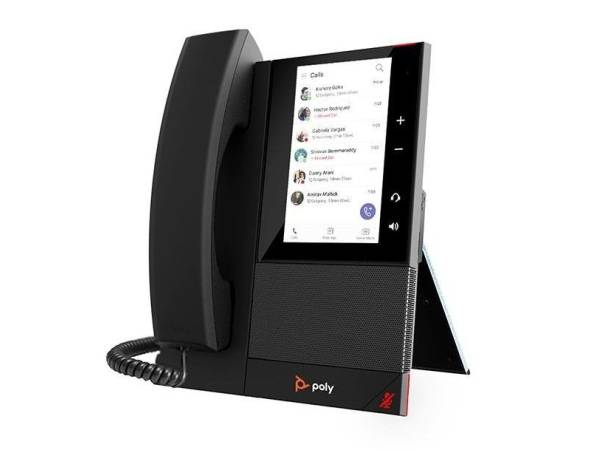
Poly CCX 400 Microsoft Teams VoIP Business Media Phone - New
[ Poly CCX 400]
|
Pro Tip: Supervisor whisper and barge features allow real-time coaching, turning average agents into top performers without pulling them off calls. |
Video Conferencing for Remote Small Businesses
Poly CCX 600
Distributed teams bring flexibility, but they also introduce communication complexity. When employees are spread across home offices, co-working spaces, and different time zones, a fragmented phone setup creates gaps that hurt team messaging and the customer experience.
Historically, a study of 418 small businesses found that 3.3% reported using a VoIP service in their business. This highlights the ongoing need for modern systems, especially as remote and hybrid companies rely on a system that delivers a unified presence supported by an unlimited calling plan and these essential features:
- Noise cancellation for crystal-clear audio quality
- Video meetings and conference calls for team meetings and client calls
- Team messaging and presence indicators to replace the visibility of an in-office environment
On the hardware side, USB headsets and softphone-ready computers form the foundation of a functional remote setup. Pairing these devices with a stable home router ensures excellent call quality regardless of where your team works.
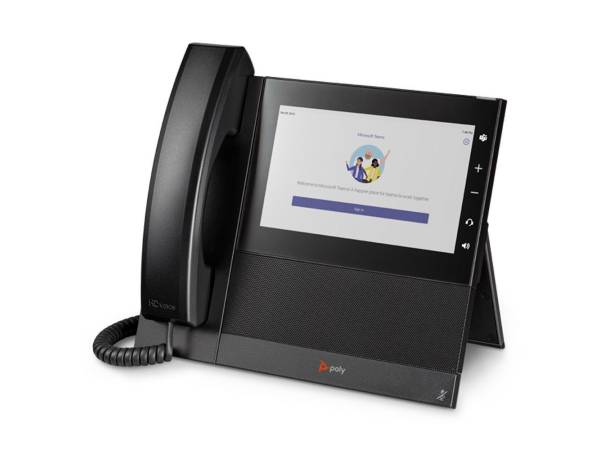
Poly CCX 600 IP Business Media Phone - Microsoft Teams
[Poly CCX 600]
Choosing the Right Business Phone System
Knowing which features matter for your particular field is the starting point. The next step involves evaluating providers through a practical lens that accounts for your real-world operations and your budget.
Consider Your Call Traffic
Your internet reliability should shape your VoIP choice. Low-volume businesses need flexible routing features and voicemail tools, while high-volume teams need strong IVR, call queues, and dependable uptime.
Look for Industry-Specific Features
Generic feature lists can be misleading if the VoIP features your business needs are missing. Healthcare practices need documented HIPAA compliance, law firms need reliable call archiving, and retailers need strong multi-location support.
Start with a checklist of must-have VoIP system features, then compare providers based on those needs before considering extras.
Compare Pricing and Support
The monthly per-user fee is part of the cost. You also need to compare setup fees, hardware, unlimited domestic calling, calling terms, international rates, and contract terms.
A cheaper base plan can end up costing more once add-ons are included, so look for providers with transparent pricing, flexible scaling, and accessible human support when issues arise.
|
Did You Know: According to SMB Group’s completed 2016 Small and Medium Business Communication, Collaboration and Mobility Study, 53% of small businesses (companies with less than 100 employees) are using VoIP. |
Why PCLiquidations Is a Trusted Name for Business VoIP
IP phones, headsets, networking gear, and computers for softphone apps can quickly drive up costs when bought new. At PCLiquidations, we help businesses reduce those costs with enterprise-grade refurbished equipment that delivers quality without the premium price.
Based in Jacksonville since 1991, we have spent more than 30 years helping IT managers, small businesses, and procurement teams source dependable technology. Our certified pre-owned inventory includes everything needed for a complete VoIP setup, from IP phones to desktop PCs.
Budget-conscious businesses benefit from:
- A one-year warranty on every product with no restocking fees
- Customer support rated a 4.7/5 score across 24,000+ reviews
- DOD and NIST-compliant data destruction for secure system upgrades
Refurbished phones are a smart choice since they support sustainability by extending the life of enterprise equipment and reducing waste. Through electronics recycling, PCLiquidations helps businesses support a circular economy while protecting their bottom line.
Save Costs with Smarter VoIP Planning
Finding the best VoIP service does not have to be overwhelming. Start by identifying your industry’s must-have features, whether that means compliance support, mobility, or handling high inbound call volume. From there, match your team size and expected usage to the right plan tier instead of choosing the lowest price.
Before finalizing your budget, account for hardware as well. IP phones, headsets, computers, and networking gear all play a role in the total cost.
Ready to build a more affordable business phone setup? Visit PCLiquidations to explore VoIP phones, PCs, and networking gear, then pair your hardware with the right VoIP provider for your industry.