 Call 888-654-3376

 888-654-3376
 My Account
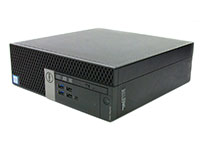

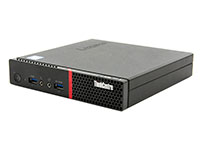
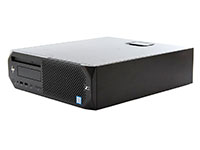
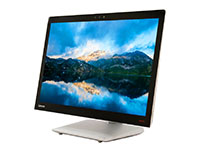
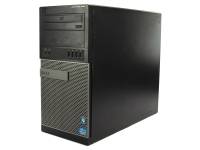
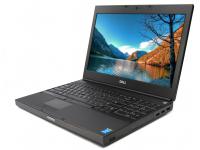

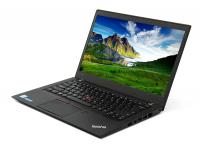
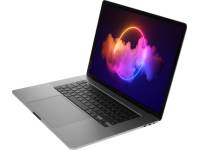
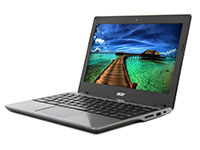

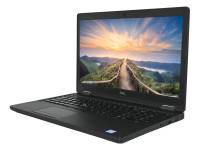









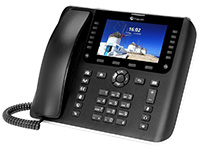
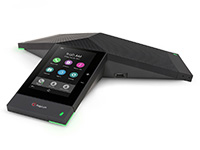

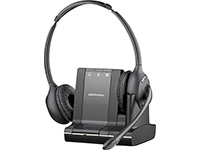
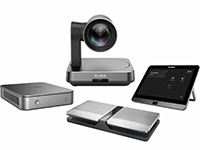
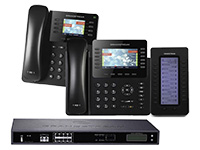
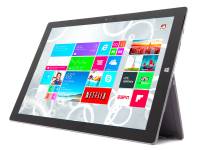








Image by Startup Stock Photos from Pexels
Alt: Modern open office with desks, chairs, and windows.
A polished, responsive business phone system is not a luxury reserved for corporations with dedicated IT departments. It is the baseline expectation for any modern business communications strategy.
If your VoIP phone system is still functioning as a glorified dial tone like traditional phone systems, you are leaving a first impression that works against you before the conversation even begins.
The good news is that upgrading to a modern business VoIP phone system from a top VoIP provider does not require a massive budget or a telecom engineer on staff.
In this guide, we take you through the essential VoIP phone features that drive professional growth. We cover tools such as seamless CRM integration and automated call routing.
1. Auto Attendant, Virtual Receptionist, and Call Queues
Auto attendants operate as an automated menu system that greets every caller interacting with your VoIP phone system. It presents organized routing features and routes them to the right person, department, or voicemail box without any human involvement required.
The IRS has found patterns of secondary abandons when callers hang up after making a selection from the telephone menu options and then being placed in the queue.
Even if you are a solo consultant or a two-person team, a well-configured auto attendant tells every caller dialing your phone number that they have reached a structured, professional organization.
There is no fumbling with transfers, no dead air, and no confusion. The caller experience feels deliberate, polished, and corporate because your VoIP phone ensures it is.
The key benefits of this feature include:
- 24/7 availability: Phone calls are handled professionally at 2 PM and 2 AM.
- Instant self-service routing: Customers reach the right destination on the first try without waiting for a receptionist, leveraging advanced features.
- Zero staffing cost: One automated phone system does the work of a full-time front desk employee, effortlessly fielding unlimited domestic calling and international calls.
|
Pro Tip: Keep your IVR menu under four options. Overcomplicated menus frustrate callers before they even reach a human. Keep it simple, clear, and direct for the most professional first impression on your VoIP system. |
2. Find Me / Follow Me Call Routing For Desk Phones
Find Me/Follow Me call routing is exactly what it sounds like. When a call comes in, the phone system does not just ring your desk phones and give up. Instead, it utilizes call forwarding to chase you through a sequence you define.
This smart call routing capability is one of the most valuable features in modern VoIP technology.
According to research in a contact center system study, 30%-67% of abandoning customers drop silently, and such behavior reduces system efficiency by 5%-15%. Implementing effective call queues and smart call routing can significantly reduce these abandonment rates.
You might set it to ring your VoIP phones for 10 seconds, then try your cell phones via a mobile app, then your home office line, then a colleague. The call hunts through each IP phone option before finally landing in voicemail if no one picks up.
The caller never hears a busy signal or dead air. They simply wait while the VoIP phone system does the work of finding you.
The key benefits at a glance:
- Lead capture on every attempt: Sequential call forwarding catches calls that would otherwise ring out on your phone system.
- No caller-facing disruption: The caller never knows whether you are at your desk phones or using internet access on a mobile device.
- No additional headcount required: One VoIP phone feature replicates the availability of a larger team.
To keep this routing running smoothly, the hardware matters. PCLiquidations carries certified refurbished high-performance hardware.
It is the reliable hardware backbone that keeps your communications infrastructure up without interruption.
|
Panasonic KX-NT343-B Black Backlit Display VoIP Phone - Grade A |
Yealink SIP-T48S 16-Line Touchscreen Display VoIP Phone - Grade A | |
|
|
|
|
|
|
|
|
[ CHECK PRICE ] |
[ CHECK PRICE ] |
[ CHECK PRICE ] |


3. Softphone, Video Conferencing, and Phone Extensions Over Internet Protocol
A softphone is a software-based client, often accessible via a mobile app, that runs on refurbished desktops, laptops, or mobile devices and functions exactly like a full phone extension.
No physical desk phones are required. Your office laptop becomes your office VoIP phone, and your mobile device becomes your business phone line.
Your team's personal devices become professional extensions under your company's identity. When a customer calls any member of your team, they reach a professional business VoIP phone system.
This comes complete with hold music, call recording, proper transfer capabilities, call logging, and voicemail routing built directly into your VoIP phone system. Modern VoIP service providers also include team messaging and video conferencing capabilities, allowing your team to collaborate seamlessly alongside VoIP calling.
Here is what softphone functionality eliminates from the small business experience:
- Gone are the days of returning voice calls from personal numbers. Every outgoing call carries the phone number of the business.
- One device limitation: Multiple team mem145bers can work from any device on any network with a reliable internet connection.
- Geographic limitations: A traveling employee in another city answers exactly as if they were at headquarters, enabling unlimited domestic calling, international calls, and domestic calling.
- Visible personal numbers: Clients always see the business phone line, not a personal cell.
These machines run all major softphones and unified communications platforms without performance compromises. It is enterprise-ready computing at startup-friendly prices to pair perfectly with your VoIP phone.
To see why softphones are becoming the new standard, here’s a direct comparison with traditional phone systems.
|
Feature |
Softphone (App-Based) |
Desk Phone (Hardware) |
|
Mobility |
Works anywhere with internet |
Fixed location only |
|
Setup Cost |
Low or zero hardware cost |
High hardware investment |
|
Scalability |
Easy to scale across teams |
Hardware-limited scaling |
|
Pro tip: When selecting IP phone systems and a VoIP service, ensure your infrastructure includes a strong internet connection to maintain superior call quality during video meetings and video conferencing sessions. |
4. Smart CRM Integration

Imagine picking up the VoIP phone and instantly seeing the caller's name, purchase history, and the last three conversations your team had with them. You also see the open deal sitting in your pipeline before you even say hello.
That is the experience small businesses can replicate through VoIP integration on their phone system.
When your VoIP phone system connects directly with platforms like Salesforce, HubSpot, or Microsoft Teams, something powerful happens. Calls stop being isolated events and start becoming fully documented, data-driven interactions.
The internet phone system and the CRM talk to each other automatically. This robust call handling feature setup eliminates the manual data entry that costs small teams hours of productivity every week.
Enterprise companies invest heavily in customer intelligence. They know that informed conversations close more deals and resolve problems faster.
CRM integrations give a small business that same intelligence without a dedicated operations team to maintain the business phone system.
Here is what CRM VoIP integration delivers in practice for your phone system:
- Informed conversations
- Automatic call logging
- Consistent follow-through
For a small law office or consultancy, this means every client's VoIP phone call is documented and actionable without anyone spending time on paperwork.
|
Key Insight: The true power of CRM integration isn't just knowing who is calling on your phone system. It's eliminating the manual data entry that costs your team hours of productive selling time every week. |
Upgrading to a Business VoIP Phone System
The features outlined above are no longer premium upgrades reserved for Fortune 500 companies. They are table stakes for any small business serious about competing professionally in today's marketplace.
The transition to a modern VoIP phone system does not require extensive technical expertise or a bloated communications budget. What it does require is a decision to stop settling for outdated phone infrastructure that makes your business sound smaller than it is.
With the best VoIP provider like PCLiquidations, and reliable hardware to support it, even a lean team can deliver the kind of responsive, intelligent customer experience. This kind of setup builds trust, closes deals, and scales effortlessly as you grow.
Your phone system should work as hard as you do. Make sure it does.


