 Call 888-654-3376

 888-654-3376
 My Account
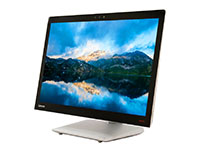
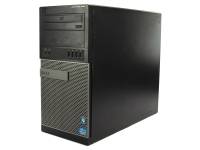
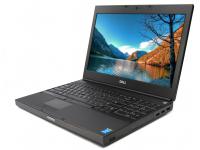
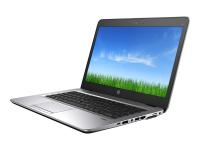
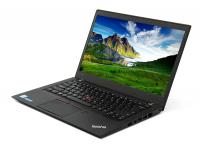
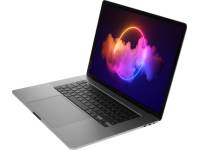
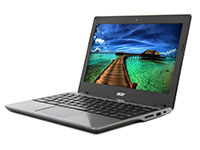

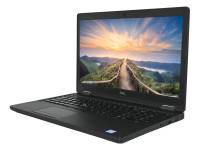











What if you could save up to 60% on your next PC, provided you know what to look for? The refurbished computer market offers incredible value, but it can feel like a minefield of confusing terminology and hidden risks. Many potential buyers hesitate, unsure if they're getting a great deal or just someone else's old problems.
This guide is designed to eliminate that uncertainty. By the time you finish reading, you will understand how to vet technical specifications, evaluate suppliers, and leverage third-party certifications.
You'll be equipped to buy a high-quality refurbished computer like a pro, saving money and cutting down on harmful electronic waste.
What Is a Certified Refurbished Computer?
A refurbished computer is not simply "used." It is pre-owned hardware that has been professionally tested, repaired, cleaned, and re-certified to meet specific functional and cosmetic standards.
Think of it less like a garage sale find and more like a "certified pre-owned" car; it has been inspected and brought back to a reliable condition by experts.
How the Refurbishment Process Works
Transparency is key to trusting the refurbishment process. Reputable, certified refurbishers follow a rigorous refurbishment process to ensure every pre-owned device meets high standards. While exact steps vary, the core process looks like this:
- Multi-Point Diagnostic Testing: The actual computer undergoes rigorous testing to identify any failing or underperforming components, from the motherboard and CPU to ports and speakers. This also includes comprehensive keyboard functionality testing to ensure all keys respond properly.
- Component Repair & Replacement: Any faulty hardware components are repaired or replaced with new or functioning parts, such as upgrading to faster solid-state drives (SSDs) or increasing RAM.
- Secure Data Wipe: All data from the previous owner is securely and permanently erased according to strict protocols, like the NIST 800-88 standard, to protect privacy.
- Cosmetic Restoration: Damaged cosmetic parts like keycaps or bezels may be replaced, and machines are assigned a cosmetic grade (e.g., Grade A, B, C).
- Quality Assurance & Stress Tests: After reassembly, the refurbished computer goes through a final round of "burn-in" and stress testing. This ensures all components work together reliably under load before the new operating system is installed, guaranteeing optimal performance.
|
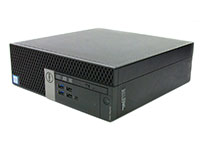
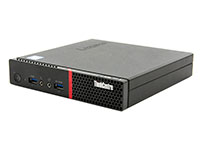
Lenovo ThinkCentre M920Q Tiny Computer i5-8500T - Windows 11 - Grade A |
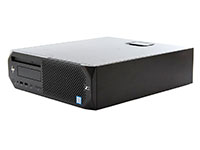
HP EliteDesk 705 G4 Mini Desktop Computer Ryzen 5 Pro 2400GE - Windows 11 - Grade A |
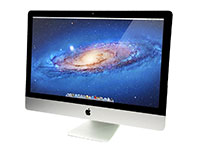
Apple iMac A1418 21.5" AiO Computer i5-5250U (Late-2015) - Grade B |
|
|
|
|
|
|
|


Why Buy Refurbished Devices? Financial & Environmental Wins
The decision to buy refurbished computers goes beyond the initial price tag. In 2009, 438 million brand new devices were sold in the United States, and 2.4 million tons were ready for end-of-life management.
Choosing refurbished computers helps combat this growing problem of electronic waste. In fact, electronics recycling makes a huge impact. Recycling one million laptops saves the energy equivalent of the electricity used by 3,657 U.S. homes in a year. For businesses, the financial case is even stronger when considering the Total Cost of Ownership (TCO).
Many refurbished laptops and desktops can perform the same tasks as a new one without breaking the bank, freeing up capital for other investments.
Furthermore, purchasing refurbished products contributes positively to a company's Environmental, Social, and Governance (ESG) goals. The refurbished market continues to grow as more businesses recognize these benefits.
How to Choose the Right Specs & Components
Matching the refurbished computer's power to your needs is crucial. Here’s a simple guide to the core components for non-experts.
CPU & Generation
For most business and home use, look for an Intel Core i5 or an AMD Ryzen 5 processor. Gaming laptops or computers for demanding applications require more powerful processors, typically Intel Core i7 or AMD Ryzen 7 and above.
Pay attention to the generation; an 8th Generation or newer Intel processor (e.g., i5-8xxx) is a great starting point.
RAM
Random Access Memory (RAM) affects how many applications you can run smoothly at once. 8 GB is the minimum for everyday tasks. If you are a heavy multitasker or use creative software, aim for 16 GB or more.
Storage
The type of storage drive has the biggest impact on perceived speed. A Solid-State Drive (SSD) is essential for fast boot times and snappy application loading. Avoid computers that only have a Hard Disk Drive (HDD) as their primary drive.
GPU & Peripherals
For standard office work and web browsing, integrated graphics are sufficient. You only need a discrete Graphics Processing Unit (GPU) if you do graphic design, video editing, or gaming. For business users, check for docking station compatibility to easily connect monitors and peripherals.
Keep in mind that many popular corporate devices, like refurbished Dell desktops or Lenovo ThinkPads, have limited internal upgrade paths. It's best to buy the specs you need upfront.
Long Battery Life
When shopping for used laptops or used computers, pay special attention to battery lifespan. Most reputable sellers will note the battery health percentage. For mobile workers, prioritize models with good battery life ratings.
|
Pro Tip: The single biggest performance upgrade is the storage drive. No matter the CPU or RAM, always choose a refurbished model with a Solid-State Drive (SSD) as its primary drive for fast, reliable performance. |
Where to Buy Refurbished Desktop Computers

Not all refurbished computer sellers are created equal. Your best bet is to purchase from a source that provides a warranty and has a verifiable track record.
- Dedicated Certified Refurbishers: These are specialists like PCLiquidations. They perform the refurbishment process themselves and typically offer extended warranties.
- Retailers & Marketplaces: Large retailers like Amazon, Best Buy, and Newegg also sell certified refurbished computers. Quality can vary, so it's critical to check the individual seller's ratings and warranty information.
|
Key Insight: For business use or bulk purchases, dedicated, certified refurbishers are the safest bet. Their specialization ensures higher consistency, better data security compliance, and more reliable post-purchase support. |
Spotlight on PCLiquidations
At PCLiquidations, our business is built on providing high-quality, budget-conscious technology you can trust. We specialize in business-grade refurbished portable laptops, desktops, monitors, and peripherals from top brands like Dell, HP, and Lenovo.
We stand behind our work with a standard 30-day return window and a 90-day warranty coverage on most refurbished products.
For businesses looking to maximize their IT budget, we offer bulk purchase options and dedicated, U.S.-based tech support. We believe that refurbished desktop computers are the smartest way to get powerful, reliable hardware without the premium price tag.
Reliable Tech That Reduces Your Carbon Footprint
Making the switch to refurbished computers is one of the smartest decisions a budget-conscious consumer or business can make. You get powerful, reliable technology with a professional certification, all while enjoying big savings and contributing to a smaller carbon footprint.
Now that you're armed with this guide and the buyer's checklist, you can shop with confidence, knowing you're making a sound investment.
At PCLiquidations, we take the guesswork out of buying refurbished. Ready to compare? Explore our refurbished desktops now and discover quality technology at unbeatable prices.


