 Call 888-654-3376

 888-654-3376
 My Account
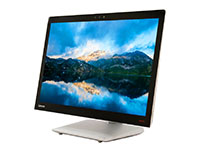
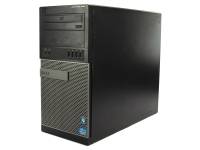
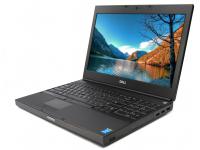
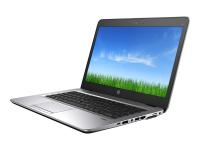
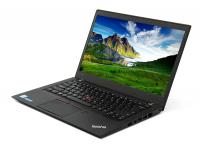
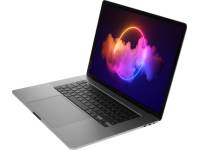
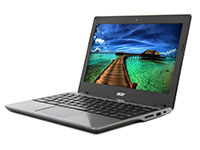

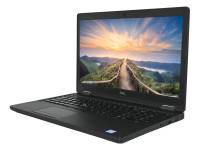
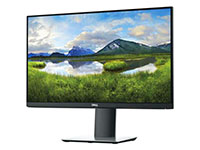

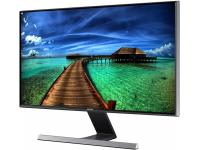
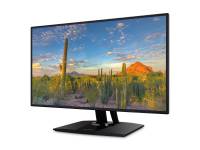
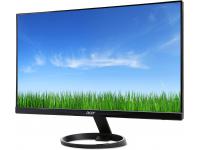









Sourcing computer hardware and business systems for modern offices is often a balancing act between managing tight budgets and ensuring your team has reliable tools to do their jobs. While the allure of brand-new devices is strong, the need to save money and maintain customer satisfaction makes the newest models difficult to justify.
This is why knowledgeable office managers and IT leads are increasingly turning to the secondary market for budget-friendly prices on refurbished equipment.
Finding the right source for these desktop computers and laptops is the most critical step in the process. This ensures you receive enterprise-grade quality and reliability without the enterprise-level price tag.
Reasons Why Refurbished Desktops and Workstations Beat New Models
The decision to purchase refurbished equipment and refurbished office computers goes beyond simple penny-pinching. It is a strategic move that aligns financial health with operational performance and efficiency. The most immediate benefit is the cost reduction.
Companies can typically expect savings of about 30 to 70 percent when buying refurbished computers and laptops compared to equivalent new models. This frees up capital that can be reinvested into software, personnel, or marketing efforts.
Buying refurbished helps reduce the environmental impact more significantly compared to buying new devices, as it reduces electronic waste. Opting for a refurbished desktop significantly lowers your company's environmental impact.
Extending the lifecycle of existing tech and computer systems diverts massive amounts of waste from landfills and reduces the carbon footprint associated with manufacturing new devices.
From a hardware perspective, business-class computers, workstations, and desktops like the Dell OptiPlex and HP EliteDesk are engineered to handle demanding applications while ensuring customer satisfaction.
These Dell and HP systems are built with higher-quality components than standard consumer PCs found at big-box stores, offering excellent value for your money.
A refurbished business desktop computer often outlasts a brand-new consumer model while offering a significantly faster return on investment. Furthermore, the depreciation curve on refurbished computer assets is much flatter, offering more favorable accounting schedules for SMBs.
|
Key Insight: Business-class machines like OptiPlex and ThinkCentre use higher-grade components than standard consumer PCs. A refurbished business desktop often outlasts a brand-new consumer model while offering a significantly faster return on investment. |
Reliable Channels for Refurbished Workstations and Business PCs
Not all refurbished computers or systems are created equal, and the source of your hardware largely determines the quality of your experience. There are four primary channels where small businesses and customers can safely acquire these assets.
Certified Refurbishers and ITAD Firms
For most small businesses and companies, this is the sweet spot between price, quality, service, and support. Companies like PCLiquidations operate as Microsoft Registered Refurbishers and are NAID AAA Certified.
Refurbished devices reuse parts that have already been manufactured, reducing the need for additional core minerals and plastics. These certifications ensure that data is sanitized correctly and hardware undergoes rigorous testing.
Unlike other sellers like the marketplaces, these refurbishers can provide value-added services such as bulk imaging, asset buy-back programs, and custom configurations for laptops, desktops, and workstations.
The primary advantage of choosing a partner like PCLiquidations is the ability to source consistent computer stock-keeping units (SKUs) in large quantities.
Manufacturer Refurbished Outlets
Major OEMs operate their own outlet stores. Purchasing directly from the manufacturers offers a high degree of confidence. These computers and systems often come with a factory warranty, like-new cosmetics, and pre-flashed firmware updates.
However, these outlets often suffer from inventory volatility. You might find five units of a specific Dell or HP model when you need twenty, making it difficult to standardize your office computer fleet. Additionally, bulk-order discounts are rarely as aggressive as those found through third-party specialists.
Online Marketplaces With Vetted Refurb Programs
Online marketplaces offer massive inventory and familiar logistics for the sale of equipment. The logistics are fast, and the purchasing process for devices is simple. However, the downside is seller variability.
These markets are composed of many different third-party sellers. Buyers must be diligent in vetting return terms and reading average ratings for each specific vendor to avoid restocking fees or inconsistent grading standards for their tech.
Local Computer Shops and Regional ITAD Providers
Local shops offer the distinct advantage of personal service. You can physically inspect the hardware and computer systems before purchase, and if something goes wrong, same-day pickup or support is often an option.
The due diligence burden here is higher. You must verify their refurbishment process, ensure they are providing legitimate Windows Certificates of Authenticity (COA), and ask for testing reports to ensure functionality and performance. Always review their posted return policy to ensure you are protected if a unit fails during the initial setup phase.
|
Pro Tip: Choose certified refurbishers like PC Liquidations for bulk orders. Unlike marketplaces with volatile inventory, dedicated ITAD firms allow you to source consistent SKUs in large quantities, ensuring a uniform fleet for easier IT management. |
How to Evaluate a Refurbished Desktop Computer
Once you have selected a channel, you need to validate the specific hardware. Knowing what to look for prevents buyer's remorse and ensures compatibility for your office computers:
|
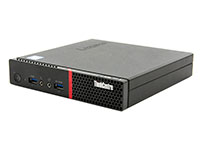
Lenovo ThinkCentre M720q Tiny Computer i5-8400T - Windows 11 - Grade A |
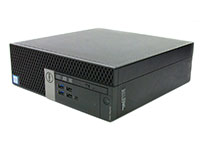
Dell OptiPlex 5060 SFF Computer i5-8500 - Windows 11 - Grade A |
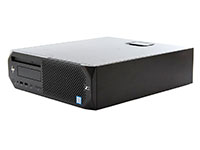
HP EliteDesk 800 G5 Mini Desktop Computer i5-9500T - Windows 11 - Grade A |
|
|
|
|
|
|
|
|
[ CHECK PRICE ] |
[ CHECK PRICE ] |
[ CHECK PRICE ] |


Finding Budget-friendly Prices on HP EliteDesk and Dell Hardware Specs
To ensure your team remains productive for the next three to five years, consider when to upgrade and adhere to minimum business computer standards. For solid performance, choose an Intel Core i5 from the 8th Gen or newer, which supports Windows 11. Pair it with 16 GB of RAM and at least a 256 GB SSD for smooth multitasking and responsive system performance.
Planning your upgrade path carefully helps you save money in the long run. For example, a mid-tier business computer or workstation like the Dell OptiPlex 7040 or HP EliteDesk 800 G3 equipped with an Intel Core i5 processor and 16 GB RAM memory offers budget-friendly prices, reliability, and performance.
Refurbished workstations featuring Intel Xeon processors and ECC memory are ideal for demanding and professional applications. For space-constrained environments like reception desks or call centers, the HP ProDesk 600 offers similar power in a compact footprint.
Many refurbishers also offer bundles that include dual monitors, mice, and keyboards, simplifying the setup process for desktop computers.
Warranty, Certification, and Return Policies
A warranty is your safety net. The minimum acceptable warranty for business hardware and systems is 90 days for parts and labor. PC Liquidations, for instance, offers a 90-day warranty with an extended warranty up to one year on some desktop computers, signaling confidence in their testing process.
Look for certifications like authorized refurbisher, like PCLiquidations, which guarantees legitimate software, indicating responsible electronics recycling practices. A return window of 30 days is standard and allows you time to stress-test the machines, computers, and devices.
Operating System and Licensing Essentials
Compliance is key for business operations. Ensure every unit comes with a genuine Windows 10 or Windows 11 Pro activation. This will usually appear as a COA sticker on the chassis or a digital license embedded in the Basic Input/Output System (BIOS) of the computer.
For fleets larger than 10 units, ask your supplier about imaging or ghosting options to save hours of manual setup time. Recommendations also include checking for the latest BIOS updates and implementing asset tags for inventory control immediately upon receipt of your equipment.
Comparison of Refurbished PC Sources:
|
Criteria |
PCLiquidations |
Online retailers |
Local Shop |
|
Warranty |
90 days with an extended 1-year warranty |
30 days |
Ask in-store |
|
Certification |
NAID AAA Certified |
None standardized |
Rare |
|
Relative Price |
Low-Mid |
Low-High |
Low-Mid |
|
Warning/Important: Ensure longevity by selecting processors that are Intel 8th Gen or newer to guarantee Windows 11 support. Avoid mechanical hard drives entirely; a 256 GB NVMe SSD is the non-negotiable standard for modern system responsiveness. |
Deployment Tips for a Smooth Rollout

Bringing refurbished workstations, desktop computers, and laptops into your production environment requires a systematic approach. Purchase your units in batches to keep your driver sets and disk images uniform. This reduces the IT overhead required to maintain the computer fleet.
Before handing a computer to an employee, run a seven-day burn-in test. Leave the machine on and running a benchmark loop to identify any potential thermal issues or component failures that might occur during early use of the system.
It is also vital to verify functionality with existing peripherals. Check that the specific generation of desktop you are buying works with your current docking stations and dual-monitor setups for Dell or HP systems.
Finally, maintain a stock of 5 to 10 percent spare units. If a computer does go down, having a "hot spare" ready for a rapid swap-out ensures minimal downtime while you process the warranty claim.
|
Pro Tip: Always maintain a "hot spare" inventory of 5% to 10% of your total fleet. Having a pre-configured unit ready for immediate swap-out minimizes employee downtime while you process warranty claims on failed hardware. |
Sustainability and Cost Savings at a Glance
Visualizing the impact of your purchase helps in communicating value to stakeholders. A comparison of the three-year Total Cost of Ownership (TCO) between a new fleet and a refurbished fleet often reveals that the refurbished desktop computers option costs less than half of the new deployment, offering significant savings for companies.
This remains true even when factoring in potential out-of-warranty repairs. In 2022, the global generation of e-waste reached a staggering 62 million metric tons, marking an 82% increase since 2010.
Furthermore, calculating the CO2 reduction per PC using EPA metrics and multiplying that by your fleet size provides a tangible statistic for your company's ESG reporting. This circular-economy alignment is a powerful talking point for corporate social responsibility initiatives and tech sustainability.
Source Your Desktop Computers With Confidence
Sourcing refurbished computers and refurbished workstations does not mean compromising on quality or reliability. By sticking to the four reliable channels, manufacturer outlets, certified refurbishers, vetted marketplaces, and trusted local shops, you can equip your office with durable, enterprise-grade hardware.
Remember to rigorously evaluate specifications, insist on proper warranties, and standardize your deployment process for all systems.
Protect your investment by choosing certified partners who stand behind their work. For a wide selection of verified business desktops, laptops, workstations, and peripherals, explore PCLiquidations' certified refurbished inventory and request a bulk quote today to maximize your budget with unbeatable prices on Dell, HP, and Lenovo computers.


