 Call 888-654-3376
 888-654-3376
 My Account

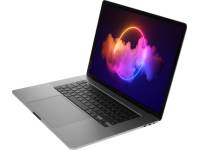
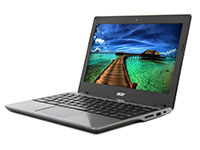

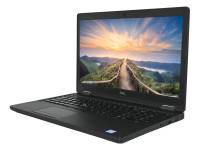







Are you ready to save big on your next laptop without sacrificing performance? Choosing a refurbished model is a smart choice to get high-end technology at a budget-friendly price. This guide is your ultimate checklist for navigating the refurbished market.
We'll show you how to get incredible value, make an eco-friendly choice by reducing electronic waste, and find a reliable machine that meets all your needs. By the end, you'll be able to shop with confidence and find the perfect refurbished laptop.
What Are Refurbished Laptops?
Navigating the world of refurbished products can be confusing, but understanding the key terms is the first step to making a smart purchase.
Unlike a typical used laptop sold as-is, a certified refurbished laptop has been professionally inspected, tested, and restored to full working order.
Grades for refurbished laptops include:
|
Grade |
Description |
|
Grade A |
Like-new condition with minimal to no signs of use. |
|
Grade B |
Minor cosmetic imperfections (light scuffs or scratches). |
|
Grade C |
Visible signs of cosmetic wear, but fully functional. |
|
Key Insight: Certified refurbished isn't just 'used.' It's professionally restored, tested, and guaranteed to perform like a new laptop, offering significant cost savings. |
How Does the Refurbishment Process Work?
Trust in the refurbishment process is crucial, as reputable vendors do not just wipe a device and put it back on the shelf. This quality assurance involves a meticulous, multi-step procedure to guarantee reliability.
This professional process is what separates a certified device from a risky private sale and ensures you receive a refurbished computer with business-class durability and performance.
- Professional Diagnostics: Technicians run comprehensive and rigorous testing on all hardware components, including the motherboard, CPU, ports, and screen.
- Repair & Replacement: Components like RAM, SSDs, and batteries receive hardware upgrades as needed.
- Data Sanitization & OS Install: All previous data is securely erased following industry standards. A fresh, licensed operating system like Windows 11 Pro is installed.
- Multi-Point Quality Control: The device undergoes a final thorough inspection to ensure every function works perfectly and is fully tested.
- Cosmetic Renewal & Packaging: The restored laptop is thoroughly cleaned, and its cosmetic grade is assigned. It’s then securely packaged for shipping.
|
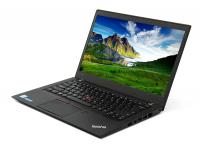
Dell Latitude 7490 14" Laptop i7-8650U - Windows 11 - Grade A |
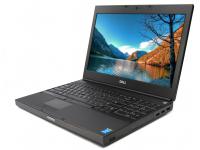
Lenovo P1 G3 15" Laptop i9-10885H w/ Quadro T2000 - Windows 11 - Grade A | |
|
|
|
|
|
Screen Size:14" Max Resolution: 1366 x 768 (HD) Processor: Intel i7-8650U 1.9 GHz Network Connections: Gigabit Ethernet, Wi-Fi, Bluetooth 4.2 Dedicated Graphics: Intel UHD Graphics 620 |
Screen Size: 15" Max Resolution: 1920 x 1080 Processor: Intel i9-10885H 2.4GHz Network Connections: Wi-Fi 802.11ax 2x2, Bluetooth 5.1 Dedicated Graphics: Nvidia Quadro T2000 |
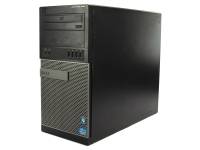
Screen Size: 14.1" (1280 x 800) Processor: Intel Core 2 Duo (P8600) 2.4 GHz Dual Core Processor Network Connections: Ethernet Wireless |


Essential Checks to Assess a Laptop's Condition and Value
Paying attention to details like processor speed, storage capacity, screen real estate, and display quality will help you avoid underpowered machines and make a confident, informed decision.
This is your guide to securing value-driven technology that fits your needs, whether you're shopping for standard business laptops or refurbished gaming laptops designed for high-performance needs.
- CPU Generation: Look for an 8th Generation Intel Core i5/i7 or newer (e.g., i5-8350U) or an AMD Ryzen 3000 series or newer for modern performance.
- RAM & SSD Minimums: Aim for at least 8 GB of RAM for smooth multitasking and a 256 GB Solid-State Drive (SSD storage) for fast boot times.
- Battery Health: A reputable local computer store should guarantee the laptop battery lasts longer and holds a significant portion of its original charge.
- Cosmetic Grade & Photos: Understand the seller's grading system (A, B, C). This helps you accurately assess the laptop's condition before committing to a purchase.
- Licensed OS: Verify the laptop comes with a genuine, licensed operating system.
- Warranty & Return Policy: A one-year warranty offers the best peace of mind for your purchase.
- Hardware Upgrade Potential: Check if the RAM or SSD can be easily upgraded later, as access to SODIMM or M.2 slots provides future-proofing.
- Seller Reputation: Buy from established vendors with a long history of positive reviews and transparent policies.
|
Pro Tip: The single most critical checkpoint: a warranty. Never purchase a refurbished laptop without at least a 90-day warranty and a clear return policy for protection. |
Where Should You Buy Your Refurbished Laptop?
The seller you choose is just as important as the laptop itself. Stick with trusted, certified refurbishers and reputable online marketplaces to ensure you receive a quality product backed by a solid manufacturer's warranty.
Certified Refurbishers
These authorized resellers perform the refurbishment themselves and sell directly to consumers, offering the highest level of quality control.
PCLiquidations is a top choice for excellent value, specializing in business-class Dell, HP, and Lenovo laptops. It’s an ideal source for a durable machine for budget-conscious students and professionals.
Trusted Online Marketplaces
These platforms host multiple third-party retailers, so it's vital to check individual seller ratings.
Amazon Renewed, for example, offers a massive selection from various reputable sellers, all backed by the Amazon Renewed Guarantee. Always check that the third-party seller has a rating of 4 stars or higher.
4 Common Myths About Refurbished Models

Misconceptions can prevent buyers from discovering the incredible value of refurbished products. Many organizations help distribute these pre-owned devices to those in need.
Between 2023 and 2024, nearly 55,000 refurbished computers were donated to nonprofit organizations nationwide. Let's debunk some of the most common myths with facts.
Myth 1: Refurbished Means Old and Slow
Fact: Most business-class refurbished laptops are only 2-4 years old and are high-performance machines that still outperform many new laptops. Refurbished gaming laptops, in particular, offer powerful specs at a fraction of retail prices.
Myth 2: There's No Real Warranty
Fact: Reputable sellers and some local computer stores provide comprehensive warranties, often lasting up to one year and offering protection comparable to new products.
Myth 3: The Batteries Are Always Dead
Fact: During certified testing, batteries that fall below a high-health threshold are replaced with new ones to ensure reliability.
Myth 4: They Come With Security Risks
Fact: Professional refurbishers use industry-compliant software to securely wipe all previous data before a fresh, secure operating system is installed.
|
Pro Tip: To maximize long-term battery life, try to keep its charge level between 20% and 80% for daily use rather than leaving it plugged in. |
Is a Refurbished Laptop Right for You?
Buying a refurbished laptop is one of the smartest tech decisions you can make. It offers an unbeatable combination of financial value, high-end performance, and environmental responsibility.
By following this guide, you can confidently select a device that delivers reliable performance without the brand-new price tag, reducing electronic waste.
Ready to find your perfect match? Browse our certified refurbished laptops today! We offer a 90-day warranty and 30-day return policy for your complete peace of mind.


