 Call 888-654-3376

 888-654-3376
 My Account





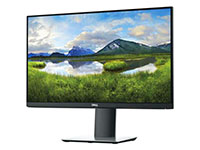

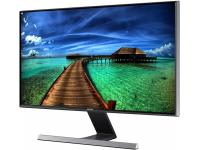
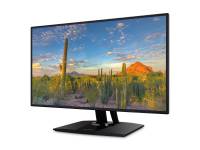

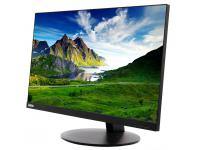
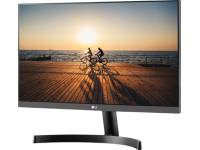
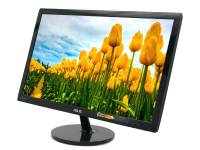
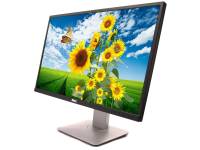













With the rising prices of new electronics, budget-smart buyers are looking for ways to get premium tech without the premium price tag. A high-quality display is essential, but it doesn't have to break the bank, which is where refurbished monitors come in.
Not only can you save 20-70% on reputable brands, but you also make a significant environmental impact. In 2019, the United States generated 6.92 million tons of e-waste, with only 15% being collected for recycling. Choosing refurbished products helps divert valuable materials from landfills, giving you value without compromise.
In this guide, you’ll learn to:
- Confidently decode terms like "refurbished," "open-box," and "used."
- Identify the key technical specs that matter for your needs.
- Use a step-by-step checklist to ensure you're buying a quality product.
Refurbished, Open-Box, or Used Monitor? Understanding The Terms
Understanding the jargon is the first step to a smart purchase. While often used interchangeably, these terms mean very different things.
A "used monitor" is sold as-is, with no repairs or guarantees. "Open-box" is typically a retail return that's inspected and resold. "Refurbished" means the device has undergone a professional restoration process to meet factory standards, much like a refurbished desktop.
A typical refurbishment workflow includes:
- Intake & Triage: The unit is received, and its history is logged.
- Diagnostic Testing: Full hardware tests are run to identify faulty components.
- Component Replacement: Any failing parts are replaced with new or certified parts.
- Cosmetic Cleaning: The monitor is thoroughly cleaned and sanitized.
- Final Quality Assurance: A final round of testing ensures the monitor is fully functional.
|
Grade |
Cosmetic Condition |
Screen Condition |
|
Grade A |
Like-new, minimal to no signs of wear. |
Pristine, no scratches or blemishes. |
|
Grade B |
Light scuffs on bezel or stand, not visible from front. |
Perfect, no scratches or blemishes. |
|
Grade C |
Noticeable scratches or wear on the body. |
May have minor screen blemishes. |
Always check the warranty period, as reputable brands and monitor sellers will back their work. Most Grade A/B refurbished models should come with comprehensive warranty coverage, offering peace of mind comparable to buying a brand new monitor.
|
Dell E2210H 22" Widescreen LCD Monitor - Grade - A - No Stand | ||
|
|
|
|
|
|
|


Understanding Key Technical Specs
Matching a monitor to your tasks, be it reative work, or gaming, requires a basic understanding of its technical specifications.
Since many refurbished monitors come with varying specs and panel types, knowing what matters most for your specific use case is essential.
Panel Types
The panel technology determines a monitor's color accuracy, wide viewing angles, and response time.
|
Panel Type |
Best For |
Strengths |
Weaknesses |
|
TN (Twisted Nematic) |
Competitive Gaming |
Fastest response times, high refresh rates. |
Poor color accuracy and viewing angles. |
|
IPS (In-Plane Switching) |
Creative Work, General Use |
Excellent color accuracy and wide viewing angles. |
Slower response times than TN, potential "IPS glow". |
|
OLED (Organic Light Emitting Diode) |
High-End Media & Gaming |
Perfect blacks, infinite contrast, vibrant colors. |
Expensive, risk of burn-in. |
An OLED panel consumes less power when displaying deep blacks compared to an always-on IPS backlight, making it a more eco-friendly choice for certain use cases.
Display Quality & Size
Resolution and screen size determine the sharpness and on-screen real estate. A 24-inch 1080p (Full HD) monitor is an affordable choice for general office work. For creative professionals, gaming or video editing, a 27-inch 1440p (QHD) or 4K (UHD) monitor provides the detail needed for complex projects and sharper images.
|
Ideal Size |
Common Resolution |
Use Case |
|
24 inches |
1920x1080 (1080p) |
Standard Office, Budget Gaming |
|
27-32 inches |
2560 x 1440 and 3840x2160 (4K) |
Creative Professionals, Media Consumption |
|
34-38 inches |
3440x1440 (UWQHD) |
Immersive Gaming, Multitasking |
Refresh Rates & Adaptive Sync
Refresh rate, measured in Hertz (Hz), is how many times per second the screen updates. While 60Hz is standard for office work, a higher refresh rate of 144Hz or more provides a much smoother experience for fast-paced gaming.
Adaptive Sync technologies prevent screen tearing by synchronizing the monitor's refresh rate with your graphics card's output.
- NVIDIA G-Sync: Requires an NVIDIA GPU and often a proprietary module in the monitor.
- AMD FreeSync: An open standard that works with AMD GPUs and many NVIDIA GPUs.
- VESA Adaptive-Sync: The open standard that FreeSync is based on.
If you're having trouble with adaptive-sync, always check the manufacturer's website for a firmware update. Sometimes a simple patch can fix compatibility issues.
|
Pro Tip: Pixel density matters. A 4K resolution on a small 24-inch screen can make text too small to read without scaling, which can defeat the purpose of the extra screen real estate. |
How Quality Assurance Protects Your Investment

A trustworthy refurbishing process is what separates a great deal from a future headache. Local computer repair shops run a battery of diagnostic tests to ensure every function works perfectly.
This process ensures high display and screen quality, checking for dead pixels, and testing color calibration against original specifications, ensuring quality performance throughout the device's lifespan.
Common points of failure, like internal power supply units and capacitors, are frequently replaced proactively to extend the life of the device. The best online retailers even provide proof of their work with a detailed quality report, ensuring compatibility and functionality.
This is what to look for in a quality report:
- Dead Pixel Test: Pass/Fail
- Color Uniformity Check
- Port Functionality Test (All Ports)
- On-Screen Display (OSD) Menu Check
|
Pro Tip: A warranty is your single most important protection. A 30-day warranty is a major red flag. Aim for at least 90 days, with a 12-month warranty term being the gold standard for reputable sellers. |
Environmental Impact of Refurbished Tech
Choosing refurbished is one of the easiest ways to purchase eco-friendly electronics. This choice extends the life of valuable resources compared to manufacturing new models.
Your environmental impact:
- Divert E-Waste: Each refurbished monitor keeps a significant amount of e-waste out of landfills through proper electronics recycling.
- Save Resources: It prevents the carbon emissions and water usage required to manufacture a new monitor.
- Support Circularity: You participate in a sustainable model of reusing high-quality equipment.
|
Key Insight: Choosing refurbished devices, such as Dell and Lenovo monitors, is a direct contribution to the circular economy. You extend the life of valuable resources, reduce e-waste, and prevent the carbon emissions required to manufacture a brand-new monitor. |
Save Money While Making an Environmental Impact
Making the switch to certified refurbished is a smart decision for your wallet and the planet. Use the buyer's checklist to verify quality, warranty, and return policies before purchasing. Choosing refurbished significantly reduces electronic waste and promotes a circular economy.
Ready to find your next great display? Browse our selection of certified, budget-smart refurbished monitors to find the perfect match for your needs and budget.


