Call 888-654-3376
 888-654-3376
 My Account



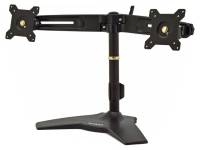





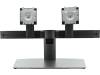

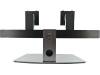



Dell MDS19 Dual Monitor Stand — Mounts Two 19"–27" Displays, 100x100 VESA




-
20,000+★★★★★5 Star Reviews
 Free Shipping on Orders of $500+ *
 Satisfaction Guaranteed
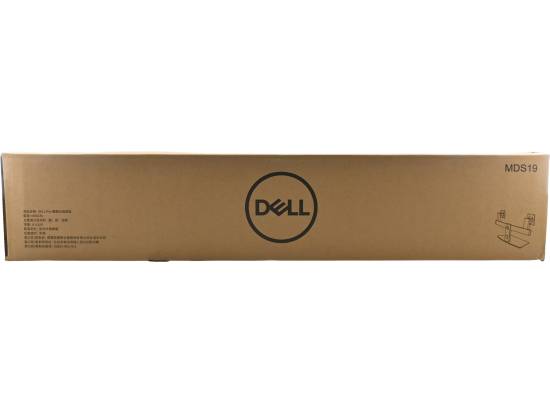
Dell MDS19 Dual Monitor Stand (No Monitors included)
Key Features
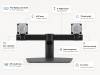
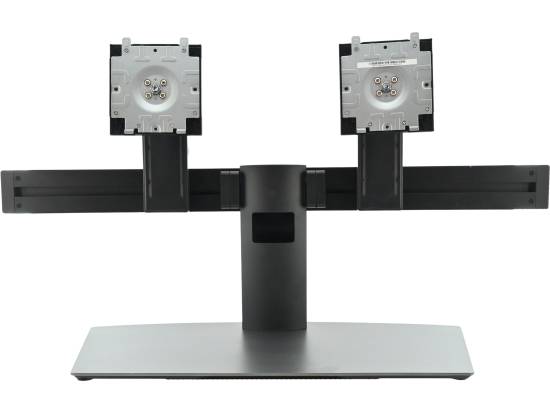
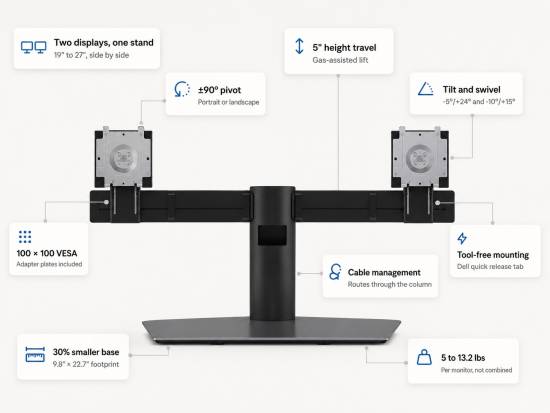
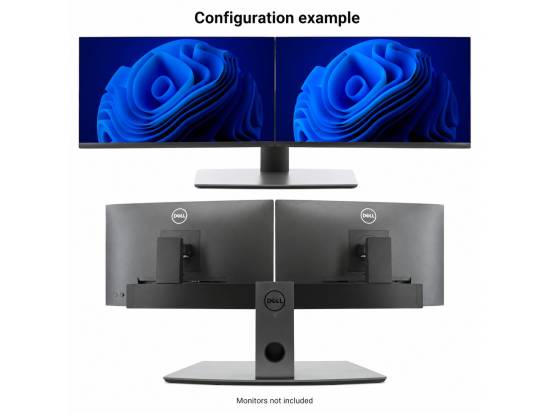
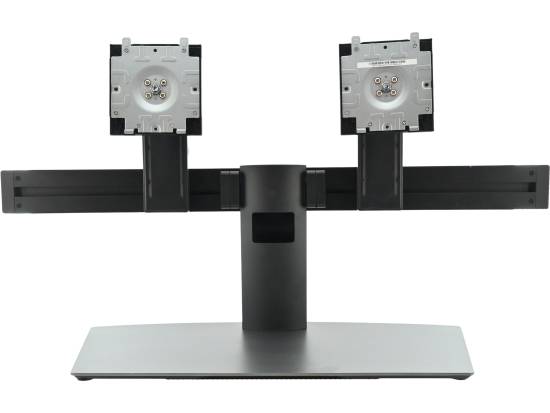
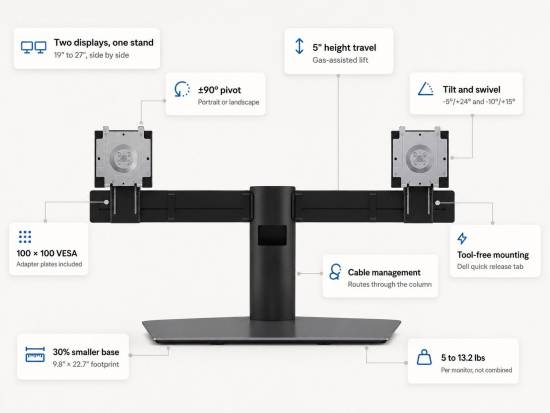
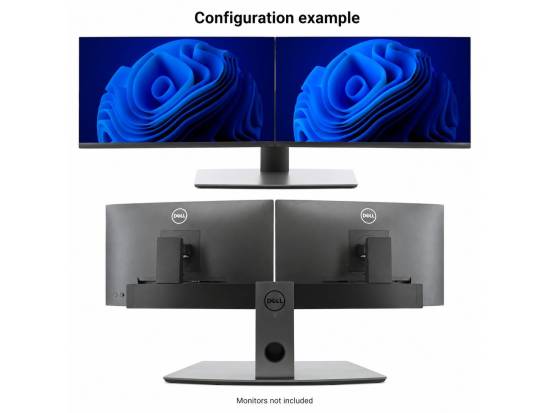
- Two monitors, one small base. Mounts displays from 19" to 27" side by side on a 9.8" × 22.7" footprint — a 30% smaller base than the previous-generation stand, giving you back the desk space in front of your keyboard.
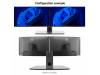
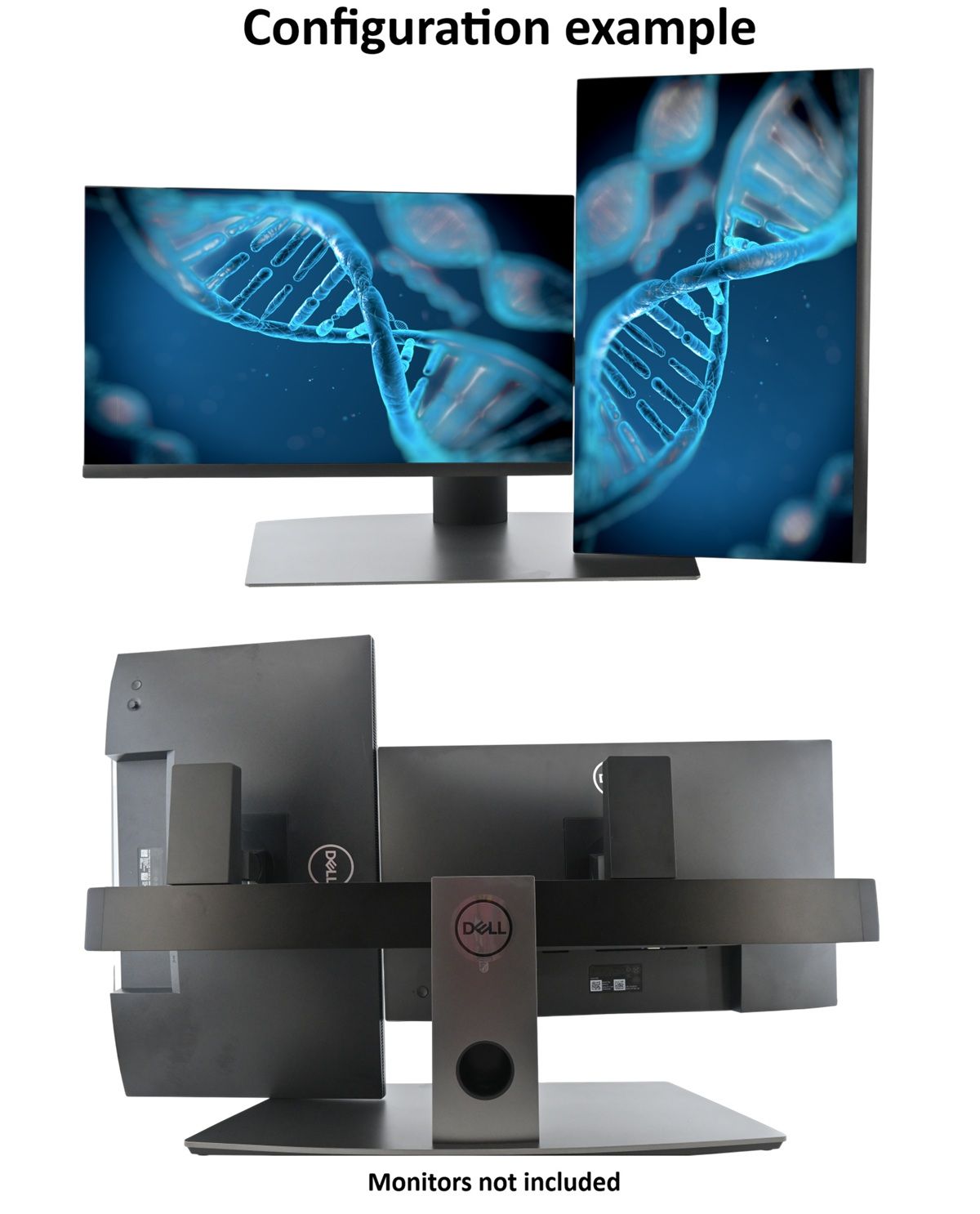
- Every axis, independently adjustable. 5" (130mm) height travel, -5°/+24° tilt, -10°/+15° swivel, and full ±90° pivot on each arm. Run one screen landscape and one portrait without buying a second product.
- Fits nearly any business monitor. Standard 100mm × 100mm VESA with adapter plates included. Dell UltraSharp and P-series panels with the Quick Release tab snap on without tools.
- Rated 5–13.2 lbs per monitor. Covers virtually every 22", 24", and 27" business-class IPS panel currently in circulation.
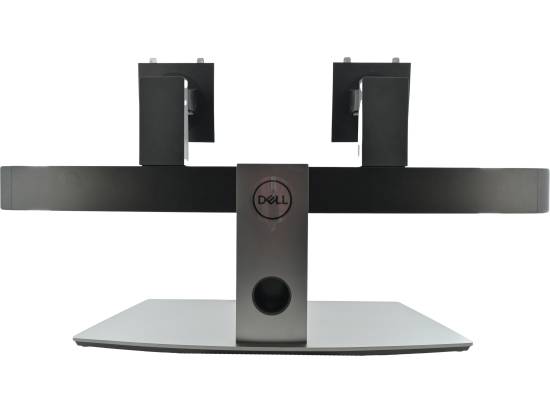
- Cable management that actually works. Power and video runs route through the column and clip along the curved crossbar — four cables disappear instead of pooling behind the desk.

Two screens. One footprint. Your desk back.
A pair of factory monitor stands eats roughly 18 inches of desk depth and pushes you into working on a keyboard tray. The Dell MDS19 consolidates both displays onto a single narrow base, pulls the panels up and back to a proper viewing distance, and hands you back the space in front of the keyboard — for a notepad, a phone, a scanner, or a second input device on a shared workstation.
For anyone who spends the day moving between two windows — a nurse in an EHR and a scheduling system, an accountant in a ledger and a spreadsheet, a support tech in a ticket queue and a remote session — the stand is the difference between a dual-monitor setup that feels deliberate and two monitors crowded together at slightly different heights.
Dell built the MDS19 for corporate deployment: steel base, aluminum column, gas-assisted lift designed to hold position across a multi-year refresh cycle rather than sagging after eighteen months. That durability is exactly why so many of these come off lease still fully functional — and why buying this SKU refurbished delivers more stand than a new consumer arm at the same price.

Will it fit your monitors?
If your displays have a 100mm × 100mm VESA pattern, measure 19" to 27", and weigh between 5 and 13.2 lbs with the factory stand removed, the answer is yes. That covers the large majority of business monitors from the last decade: Dell P-series, E-series, and UltraSharp; HP EliteDisplay, E-series, and P-series; Lenovo ThinkVision T- and E-series; plus most Acer, ASUS, ViewSonic, and Samsung business panels. See the full compatibility table below.
Dell UltraSharp and P-series panels with the Quick Release tab snap into place with no tools at all. Everything else mounts with the four included VESA screws and adapter plates — about two minutes per monitor.
Two things worth knowing before you order.
The 5 lb minimum is real. The height mechanism is spring-counterbalanced. A panel lighter than about 5 lbs won't load the spring enough to hold position and will drift upward. This affects some 19" and 20" displays; it is almost never an issue at 22" and up.
27" is a hard ceiling. The arm geometry and crossbar spacing won't clear two 32" panels, and the counterbalance isn't rated for the weight. If you're standardizing on 32", you need a different stand.
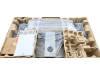
What's In The Box
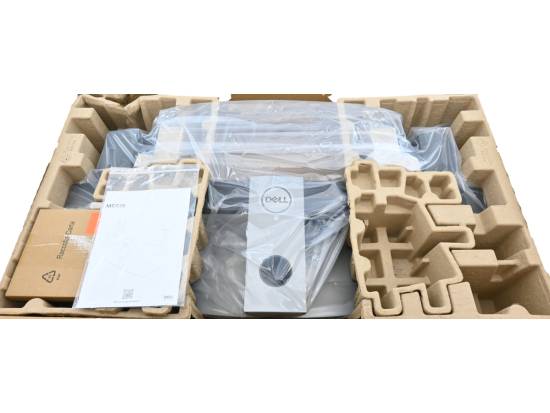
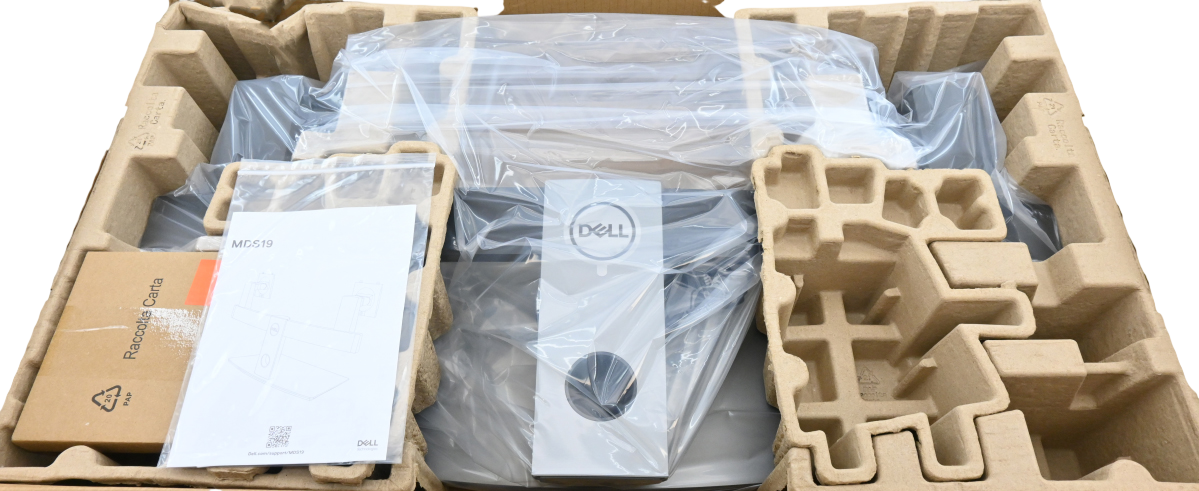
Stand base and column · Two adjustable monitor arms · Two VESA adapter plates · VESA mounting hardware · Cable management clips
Not included: monitors, video cables, power cables. No tools required beyond the included hardware.
FAQ
Does the Dell MDS19 work with non-Dell monitors?
Yes. The stand uses the standard 100mm × 100mm VESA pattern and includes adapter plates and mounting screws for any compatible monitor between 19" and 27". Dell UltraSharp and P-series panels with the Quick Release tab have the added convenience of tool-free snap-in mounting, but they are not required.
What is the actual weight limit per monitor?
Dell's specification is 5 lbs to 13.2 lbs (2.2 kg to 6.0 kg) per monitor, not combined. Several major retailers list 6.6 lbs by mistakenly halving the 13.2 lb figure. The correct number comes straight from Dell's own MDS19 data sheet.
Is there a minimum monitor weight, and why?
Yes — 5 lbs per panel. The height adjustment is spring-counterbalanced, so a panel lighter than the minimum won't compress the spring enough to hold its position and will drift upward. This mainly affects smaller 19"–20" displays.
Does the MDS19 support 32" monitors?
No. 27" is the maximum supported size. The arm spacing and counterbalance are not rated for larger panels.
Can I mount monitors stacked vertically instead of side by side?
No. The MDS19 is a horizontal side-by-side configuration only.
Do I need to remove my monitor's original stand?
Yes. The factory stand comes off to expose the VESA mounting holes. On most business monitors this is a single release button or four screws.
Can each monitor be rotated to portrait?
Yes. Each arm pivots a full ±90° independently, so you can run one landscape and one portrait.
How much desk depth does it need?
The base measures 9.8" deep by 22.7" wide. Allow a few inches of clearance behind for cable routing.
Do you offer volume pricing?
Yes. Tiered pricing begins at 10 units, with pallet quantities available. We can also pre-kit stands with matched monitors as a single SKU for deployments.

Why Buy from PC Liquidations
You can shop with confidence knowing that all products come with warranties and have been thoroughly inspected to meet quality standards. With a no-hassle return policy, your satisfaction is the top priority, ensuring a risk-free purchasing decision.
Upgrade your workspace today with the Dell Dual Monitor Stand MDS19 and enjoy a more organized, productive work environment.

New Product
These products are brand new and have never been used. They arrive in the original manufacturer packaging in pristine, factory-fresh condition.
No-hassle returns. Zero restocking fees.
Wrong item? Changed your mind? Don't need it anymore? We've got you covered.
30-Day Returns
- No restocking fees, ever
- Refund or store credit — your choice
- 30 days from invoice date
- Return in original condition, securely packed
Fast Shipping
- Ships within 2 business days*
- Rush & Saturday delivery available — call us
- Free ground shipping available (continental US orders over $500)
- Overnight delivery available
1-Year Warranty
- Covers defects & functional failures
- Normal business use, from date of purchase
- Batteries: 90 days (consumable)
- Excludes misuse, modification, mishandling
Need help finding the right product?
Our team is ready with expert support before and after your purchase.
*Shipping and delivery on business days. Purchaser is responsible for return shipping costs and insurance. Free/fixed shipping offers exclude palletized items — call for freight rates.











Dell Dual Monitor Stand (MDS19) - Refurbished

-
20,000+★★★★★5 Star Reviews
-
Free Shipping on Orders of $500+ *
-
Satisfaction Guaranteed
Dell MDS19 Dual Monitor Stand (No Monitors included)
Key Features
- Two monitors, one small base. Mounts displays from 19" to 27" side by side on a 9.8" × 22.7" footprint — a 30% smaller base than the previous-generation stand, giving you back the desk space in front of your keyboard.
- Every axis, independently adjustable. 5" (130mm) height travel, -5°/+24° tilt, -10°/+15° swivel, and full ±90° pivot on each arm. Run one screen landscape and one portrait without buying a second product.
- Fits nearly any business monitor. Standard 100mm × 100mm VESA with adapter plates included. Dell UltraSharp and P-series panels with the Quick Release tab snap on without tools.
- Rated 5–13.2 lbs per monitor. Covers virtually every 22", 24", and 27" business-class IPS panel currently in circulation.
- Cable management that actually works. Power and video runs route through the column and clip along the curved crossbar — four cables disappear instead of pooling behind the desk.
Two screens. One footprint. Your desk back.
A pair of factory monitor stands eats roughly 18 inches of desk depth and pushes you into working on a keyboard tray. The Dell MDS19 consolidates both displays onto a single narrow base, pulls the panels up and back to a proper viewing distance, and hands you back the space in front of the keyboard — for a notepad, a phone, a scanner, or a second input device on a shared workstation.
For anyone who spends the day moving between two windows — a nurse in an EHR and a scheduling system, an accountant in a ledger and a spreadsheet, a support tech in a ticket queue and a remote session — the stand is the difference between a dual-monitor setup that feels deliberate and two monitors crowded together at slightly different heights.
Dell built the MDS19 for corporate deployment: steel base, aluminum column, gas-assisted lift designed to hold position across a multi-year refresh cycle rather than sagging after eighteen months. That durability is exactly why so many of these come off lease still fully functional — and why buying this SKU refurbished delivers more stand than a new consumer arm at the same price.
Will it fit your monitors?
If your displays have a 100mm × 100mm VESA pattern, measure 19" to 27", and weigh between 5 and 13.2 lbs with the factory stand removed, the answer is yes. That covers the large majority of business monitors from the last decade: Dell P-series, E-series, and UltraSharp; HP EliteDisplay, E-series, and P-series; Lenovo ThinkVision T- and E-series; plus most Acer, ASUS, ViewSonic, and Samsung business panels. See the full compatibility table below.
Dell UltraSharp and P-series panels with the Quick Release tab snap into place with no tools at all. Everything else mounts with the four included VESA screws and adapter plates — about two minutes per monitor.
Two things worth knowing before you order.
The 5 lb minimum is real. The height mechanism is spring-counterbalanced. A panel lighter than about 5 lbs won't load the spring enough to hold position and will drift upward. This affects some 19" and 20" displays; it is almost never an issue at 22" and up.
27" is a hard ceiling. The arm geometry and crossbar spacing won't clear two 32" panels, and the counterbalance isn't rated for the weight. If you're standardizing on 32", you need a different stand.
What's In The Box
Stand base and column · Two adjustable monitor arms · Two VESA adapter plates · VESA mounting hardware · Cable management clips
Not included: monitors, video cables, power cables. No tools required beyond the included hardware.
FAQ
Does the Dell MDS19 work with non-Dell monitors?
Yes. The stand uses the standard 100mm × 100mm VESA pattern and includes adapter plates and mounting screws for any compatible monitor between 19" and 27". Dell UltraSharp and P-series panels with the Quick Release tab have the added convenience of tool-free snap-in mounting, but they are not required.
What is the actual weight limit per monitor?
Dell's specification is 5 lbs to 13.2 lbs (2.2 kg to 6.0 kg) per monitor, not combined. Several major retailers list 6.6 lbs by mistakenly halving the 13.2 lb figure. The correct number comes straight from Dell's own MDS19 data sheet.
Is there a minimum monitor weight, and why?
Yes — 5 lbs per panel. The height adjustment is spring-counterbalanced, so a panel lighter than the minimum won't compress the spring enough to hold its position and will drift upward. This mainly affects smaller 19"–20" displays.
Does the MDS19 support 32" monitors?
No. 27" is the maximum supported size. The arm spacing and counterbalance are not rated for larger panels.
Can I mount monitors stacked vertically instead of side by side?
No. The MDS19 is a horizontal side-by-side configuration only.
Do I need to remove my monitor's original stand?
Yes. The factory stand comes off to expose the VESA mounting holes. On most business monitors this is a single release button or four screws.
Can each monitor be rotated to portrait?
Yes. Each arm pivots a full ±90° independently, so you can run one landscape and one portrait.
How much desk depth does it need?
The base measures 9.8" deep by 22.7" wide. Allow a few inches of clearance behind for cable routing.
Do you offer volume pricing?
Yes. Tiered pricing begins at 10 units, with pallet quantities available. We can also pre-kit stands with matched monitors as a single SKU for deployments.
Why Buy from PC Liquidations
You can shop with confidence knowing that all products come with warranties and have been thoroughly inspected to meet quality standards. With a no-hassle return policy, your satisfaction is the top priority, ensuring a risk-free purchasing decision.
Upgrade your workspace today with the Dell Dual Monitor Stand MDS19 and enjoy a more organized, productive work environment.

Refurbished
| Functionality |  |
|---|---|
| Cosmetics |  |
All refurbished items are restored to full functionality, and their grades reflect only cosmetic condition. Lower-grade products may have more visible blemishes but are rigorously tested and cleaned to ensure identical performance and warranty coverage.
No-hassle returns. Zero restocking fees.
Wrong item? Changed your mind? Don't need it anymore? We've got you covered.
30-Day Returns
- No restocking fees, ever
- Refund or store credit — your choice
- 30 days from invoice date
- Return in original condition, securely packed
Fast Shipping
- Ships within 2 business days*
- Rush & Saturday delivery available — call us
- Free ground shipping available (continental US orders over $500)
- Overnight delivery available
1-Year Warranty
- Covers defects & functional failures
- Normal business use, from date of purchase
- Batteries: 90 days (consumable)
- Excludes misuse, modification, mishandling
Need help finding the right product?
Our team is ready with expert support before and after your purchase.
*Shipping and delivery on business days. Purchaser is responsible for return shipping costs and insurance. Free/fixed shipping offers exclude palletized items — call for freight rates.