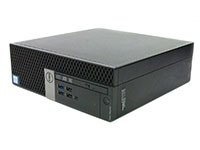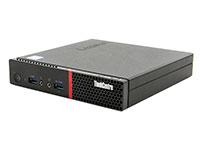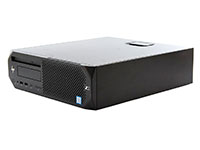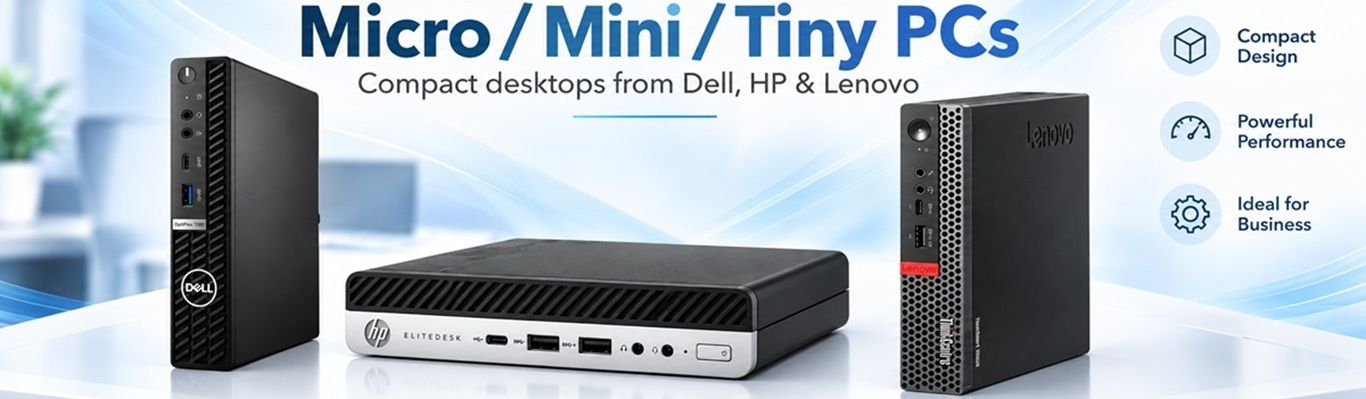
Get full desktop performance without the desktop footprint. Our refurbished mini PCs, including Dell OptiPlex Micro, Lenovo ThinkCentre Tiny, and HP EliteDesk and ProDesk Mini systems pack powerful Intel Core and AMD Ryzen processors into compact, space-saving designs.
They're a good fit for offices, front desks, classrooms, digital signage, home labs, and other space-conscious setups, many models can mount behind a monitor using a VESA bracket while drawing significantly less power than a traditional tower.
Every mini PC is professionally tested, securely data-wiped at our NAID AAA-certified facility, cosmetically graded, and backed by our warranty. Buying for a business, school, or larger deployment? Request a bulk quote.
Most manufacturers name their mini PCs differently even though they are nearly all the same physical size, below is what the 3 biggest call their computers:
Tiny = Lenovo ThinkCentre TinyMicro = Dell OptiPlex Micro (MFF)Mini = HP EliteDesk / ProDesk Mini
$426.97 – $468.97
$543.99
Save up to
$51.02
Processor
Intel Core i7-10700 2.90GHz
Memory
8GB DDR4
Storage
256GB NVMe
Top Seller!

$283.98 – $301.98
$413.99
Save up to
$112.01
Processor
Intel Core i5-9500T 2.20GHz
Memory
8GB DDR4
Storage
256GB NVMe SSD
$579.99
$644.99
Save
$65.00
Processor
Intel i5-13500T 3.26GHz
Memory
16GB DDR4
Storage
256GB NVMe SSD
$382.99 – $460.98
$662.99
Save up to
$202.01
Processor
Intel i7-9700T 2.0GHz
Memory
8GB DDR4
Storage
256GB NVMe SSD
Processor
Intel i5-7500T 2.70GHz
Memory
8GB DDR4
Storage
$274.99 – $294.99
$321.99
Save up to
$88.00
Processor
Intel i5-9500T 2.20GHz
Memory
8GB DDR4
Storage
256GB SSD
Processor
Intel i5-9500T 2.20GHz
Memory
16GB DDR4
Storage
256GB NVMe SSD
$401.99
$647.99
Save
$40.00
Processor
Intel Core i5-10500T 2.30GHz
Memory
16GB DDR4
Storage
256GB NVMe SSD
Top Seller!

$379.99
$809.99
Save
$430.00
Processor
Intel Core i5-9500T 2.20GHz
Memory
16GB DDR4
Storage
256GB NVMe SSD
$244.99
$269.99
Save
$25.00
Processor
AMD Ryzen 5 PRO 4650GE 3.3GHz
Memory
8GB DDR4
Storage
256GB NVMe SSD
Top Seller!

$284.99
$329.99
Save
$45.00
Processor
Intel Core i5-8500T 2.10GHz
Memory
16GB DDR4
Storage
256GB SSD
Processor
Intel i5-8500T 2.10Ghz
Memory
8GB DDR4
Storage
256GB NVMe SSD
$284.99 – $309.99
$543.99
Save up to
$450.00
Processor
Intel i5-9500T 2.2 GHz
Memory
8GB DDR4
Storage
256GB M.2 SSD
Top Seller!

$157.99 – $189.99
$305.99
Save up to
$116.00
Processor
Intel i5-7500T 2.70GHz
Memory
8GB DDR4
Storage
256GB SSD
$127.99 – $136.99
$375.99
Save up to
$146.99
Processor
Intel Core (i5-6500t) 2.5GHz
Quad Core Processor
Memory
8GB DDR4
Storage
256GB 2.5" SATA SSD
B2B Black Friday Deal

$271.99 – $272.99
$357.99
Save up to
$86.00
Processor
Intel Core i5-8500T 2.10GHz
Memory
8GB DDR4
Storage
256GB SSD
Top Seller!

$249.99 – $329.99
$397.99
Save up to
$68.00
Processor
Intel i5-8500T 2.1 GHz
Memory
8GB DDR4
Storage
256GB NVMe
B2B Black Friday Deal

$225.96
$482.94
Save
$256.98
Processor
Intel Core i7-7700 Processor, 3.6 GHz
Memory
8GB DDR4
Storage
256GB SSD
Processor
Intel Core i5 (i5-3470T) 2.9GHz Dual Core Processor
Memory
8GB DDR3
Storage
256GB 2.5" SATA
Processor
Intel i5-8400T 1.7 GHz
Memory
16GB DDR4
Storage
512GB SSD
$154.99 – $159.99
$288.98
Save up to
$128.99
Processor
Intel i3-7100T 2.4GHz
Memory
8GB DDR4
Storage
256GB SSD
Processor
Intel i5-12500 3.0GHz
Memory
16GB DDR5
Storage
500GB NVMe SSD
$141.99 – $175.99
$244.99
Save up to
$69.00
Processor
Intel Core i5 (4570T) 2.9GHz Dual Core Processor
Memory
8GB DDR3
Storage
256GB 2.5" SATA
$272.98 – $301.98
$304.94
Save up to
$31.96
Processor
Intel i7-6700 3.4 GHz
Memory
8GB DDR4
Storage
256GB 2.5" SATA
Refurbished mini PCs deliver reliable desktop performance in a compact, energy-efficient design. Whether you're outfitting an office, upgrading a home workstation, or building a home lab, understanding the key features will help you choose the right system.
Processor Performance: What Does the "T" Mean?
Many business-class mini PCs use Intel processors with a "T" suffix, such as the Core i5-8500T or i5-9500T.
Power Efficiency: These processors are designed with a lower power rating, typically 35 watts for these generations, helping reduce heat and energy consumption.
Everyday Performance: Ideal for office applications, web browsing, video conferencing, and multitasking. Most users won't notice a significant difference during routine tasks.
Higher-Performance Options: Select mini PCs support higher-power desktop processors for more demanding workloads. Compare processor specifications and configurations before purchasing.
Mini PC vs. Desktop Tower: Which Is Right for You?
Mini PCs provide much of the functionality of a traditional desktop while taking up a fraction of the space.
Why Choose a Mini PC?
Compact design that fits on a desk or mounts behind a monitor.
Quiet operation and lower power consumption.
Excellent for offices, classrooms, reception areas, and home workstations.
Business-grade reliability without the bulk of a traditional tower.
When to Choose a Desktop Tower:
You need a full-size dedicated graphics card.
Your workload requires extensive internal storage or expansion.
You want additional PCIe slots or room for future upgrades.
For more demanding configurations, explore our refurbished desktop towers.
Displays, Memory & Storage
How Many Monitors Can a Mini PC Support?
Most business-class mini PCs support at least two external monitors, while some models can handle three or more, depending on their graphics hardware and available ports.
Common display connections include DisplayPort, HDMI, and USB-C on supported models.
Shopping Tip: Check each product's specifications for available video outputs and supported display configurations.
Complete your setup with our refurbished monitors and monitor stands and mounts.
Can I Upgrade the RAM and Storage?
Yes. Most business mini PCs offer upgradeable memory and storage, although the available options vary by model.
Memory (RAM): Many systems feature two SO-DIMM memory slots (the same size laptops use), with select models supporting 32GB, 64GB, or more.
Storage: Common configurations include M.2 SSDs, with certain models also supporting an additional 2.5-inch SATA drive.
Expandability: Upgrade limits depend on the motherboard, processor generation, and internal configuration.
Always review the individual product specifications before planning upgrades.
Mini PCs for Home Labs & Small Servers
Refurbished mini PCs are popular among home lab enthusiasts thanks to their compact size, low power consumption, and affordable business-grade hardware.
Popular options include the Lenovo ThinkCentre M920q Tiny, Dell OptiPlex Micro, and HP EliteDesk 800 Mini.
Common Home Lab Applications:
Their combination of efficiency, upgradeable hardware, and small footprint makes them a practical choice for home servers and compact computing clusters.
Bulk Mini PCs for Businesses & Schools
Need multiple mini PCs for an office, classroom, or organization?
PCLiquidations supplies refurbished mini PCs in volume to businesses, schools, healthcare facilities, government agencies, and managed service providers.
Benefits of Buying in Bulk:
Consistent Configurations: We can help source matching hardware specifications across multiple systems, subject to availability.
Deployment-Ready Hardware: Systems are professionally tested, securely data-wiped, and prepared for your organization's operating system and software requirements including custom images loaded before they ship.
Cost-Effective Purchasing: Reduce hardware expenses without sacrificing essential business functionality.
Personalized Quotes: Our team can help identify suitable models and configurations for your deployment.
Request a Bulk Quote or call 888-654-3376 to discuss your requirements.
Frequently Asked Questions
-
Micro, Tiny, or Mini: which should I buy?
Buy by brand: Micro is the Dell OptiPlex, Tiny is the Lenovo ThinkCentre, and Mini is the HP EliteDesk or ProDesk. Choose the family that matches the PCs you already manage.
-
Will a mini PC run Windows 11?
Yes. Most mini PCs ship with Windows 11 under the Microsoft Authorized Refurbisher program, and units without an operating system say "No OS" in the title. Check the title before you order.
-
Is 8GB of RAM enough?
For email, web browsers, and Microsoft Office, yes. Many mini PCs have 2 memory slots, and the OptiPlex 3070 Micro, ThinkCentre M920q Tiny, and EliteDesk 800 G5 Mini take up to 32GB. Choose 16GB for many tabs or large spreadsheets.
-
How many monitors can it run?
Two or more on most business mini PCs. The EliteDesk 800 G5 Mini has 1 HDMI and 2 DisplayPort outputs. Check the ports on the product page before planning a third screen.
-
What is the difference between Grade A, B, and C?
Looks only. Grade A has very little wear, Grade B shows small scratches, and Grade C shows more scuffs. Performance and warranty are the same, so choose Grade C for the lowest price.
 Call 888-654-3376

 888-654-3376
 My Account